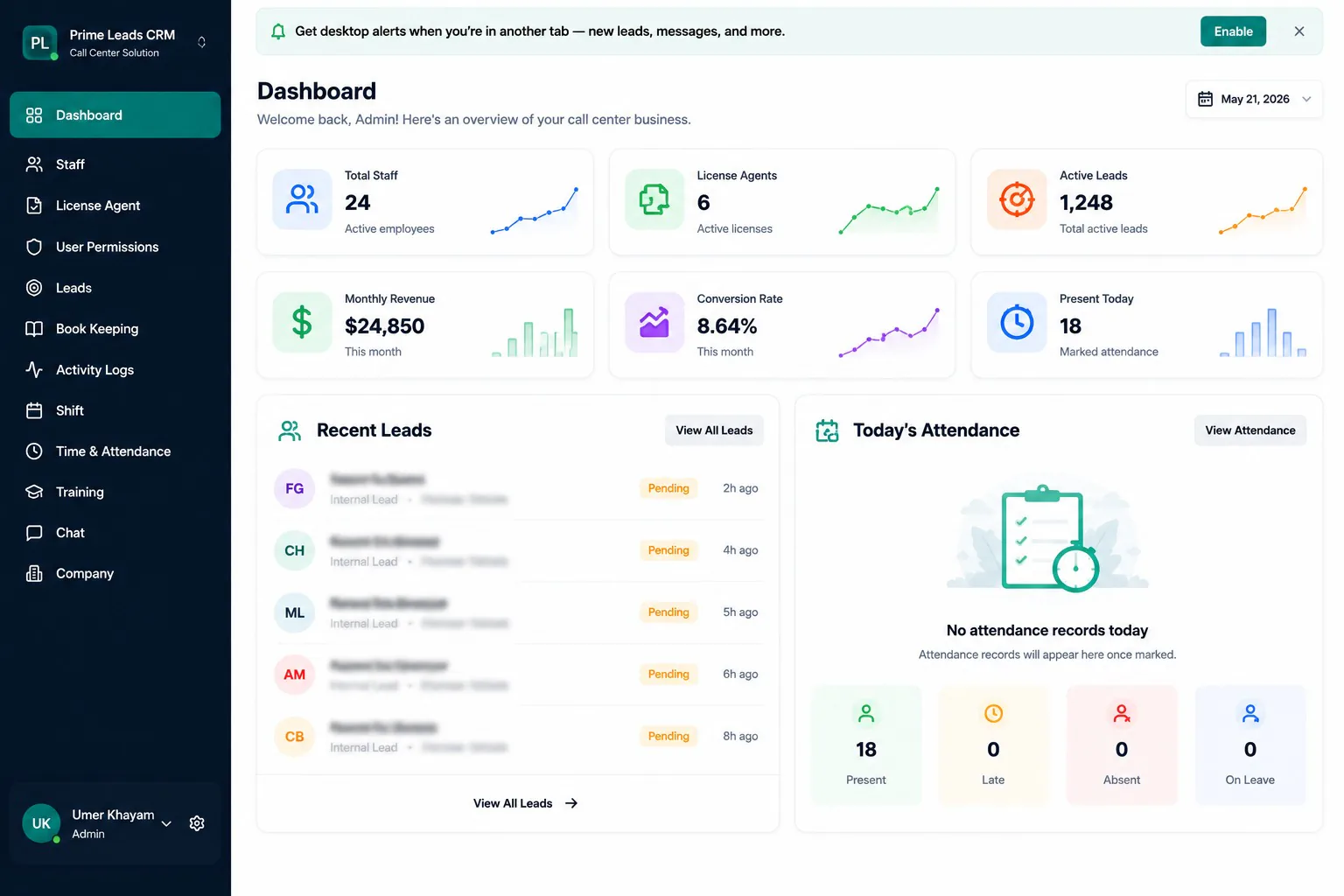
01
Centralize courses, categories, and learner enrollments
A complete EduLearn e-learning platform for courses, enrollments, lessons, assignments, quizzes, attendance, certificates, instructor dashboards, and admin management.
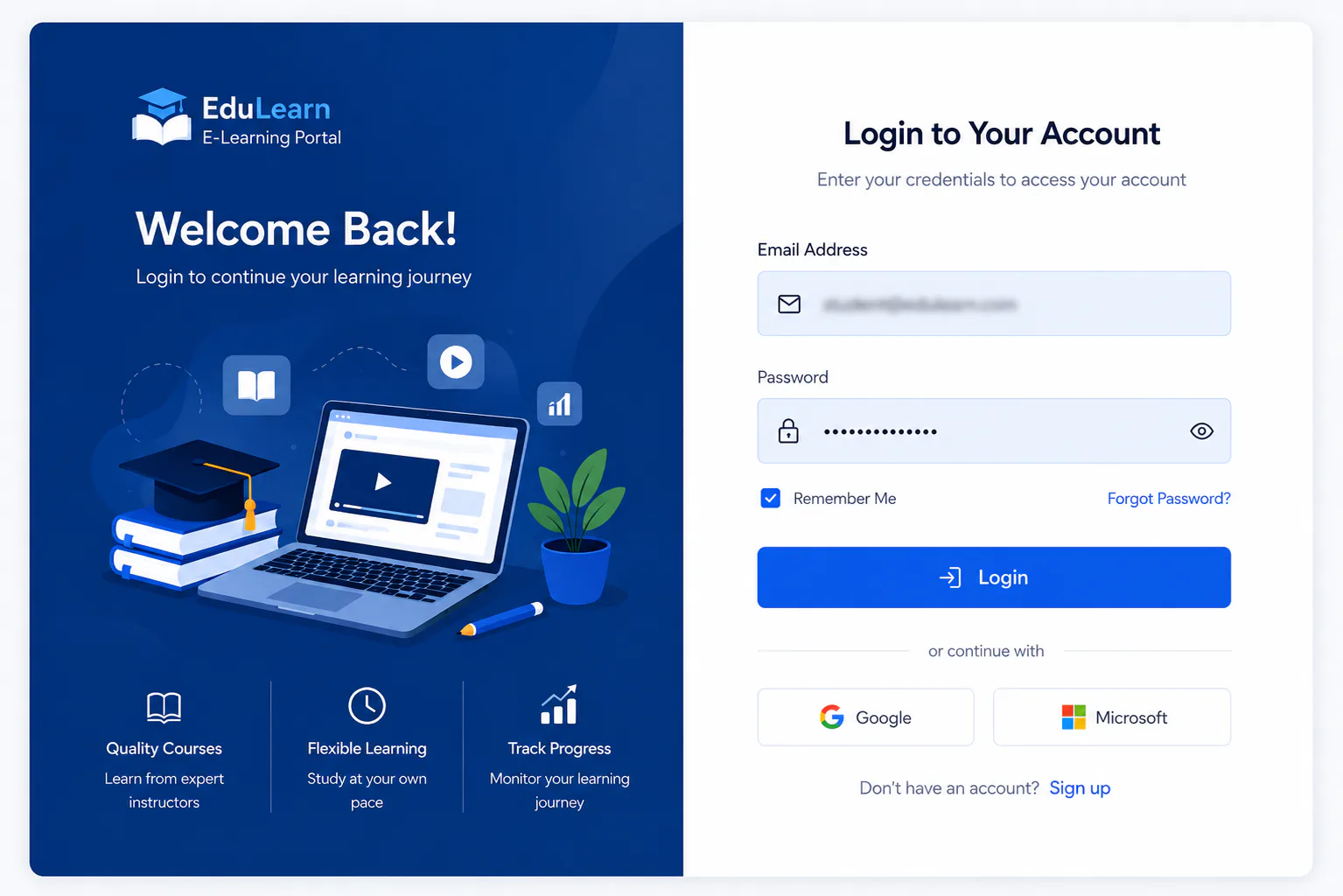
Secure sign-in / login
Secure sign-in for admins, instructors, and learners accessing the EduLearn portal.
Overview
EduLearn E-Learning Portal is a complete learning management platform built to run courses, enrollments, lessons, assignments, quizzes, attendance, certificates, instructor dashboards, and admin management from one workspace.
Admins can manage users, categories, and system settings while instructors deliver courses, lessons, and assessments with clear learner visibility.
Enrollment and attendance tools keep learner progress organized without scattered spreadsheets or disconnected tools.
Assignments and quizzes give teams a practical way to measure outcomes and keep learning accountable end to end.
Problem
The training team was running courses, enrollments, lessons, and assessments across emails, folders, and disconnected tools. Instructors lacked a clear dashboard, attendance was inconsistent, quizzes and assignments were hard to track, and admins could not manage users, categories, and settings from one reliable portal.
Solutions
Why this product
When courses, enrollments, and assessments live in separate places, instructors lose visibility and learners fall through the cracks.
EduLearn E-Learning Portal gives education teams one operational source of truth for courses, enrollments, lessons, assignments, quizzes, and attendance.
01
Centralize courses, categories, and learner enrollments
02
Give instructors a dedicated teaching dashboard
03
Deliver lessons with assignments and quizzes in one flow
04
Track attendance and learner participation accurately
05
Manage users and roles with clear admin controls
06
Configure portal settings without custom workarounds
Procedure
01
Mapped admin, instructor, and learner journeys across courses, enrollments, lessons, assessments, and attendance.
02
Designed role-based navigation, course structures, enrollment states, and assessment-ready module boundaries.
03
Shipped dashboards, users, courses, and categories for core EduLearn catalog control.
04
Connected enrollments, lessons, assignments, and quizzes for end-to-end course delivery.
05
Added attendance management, system settings, and secure sign-in for portal operations.
06
Onboarded admin and instructor roles, validated enrollment and assessment flows, and tuned dashboards from live usage.
Client feedback
We needed one EduLearn portal for courses, enrollments, lessons, assignments, and attendance instead of scattered tools. Next Software Development Company delivered an E-Learning Portal that finally keeps our instructors and admins aligned.
Module pictures
Secure sign-in for admins, instructors, and learners accessing the EduLearn portal.
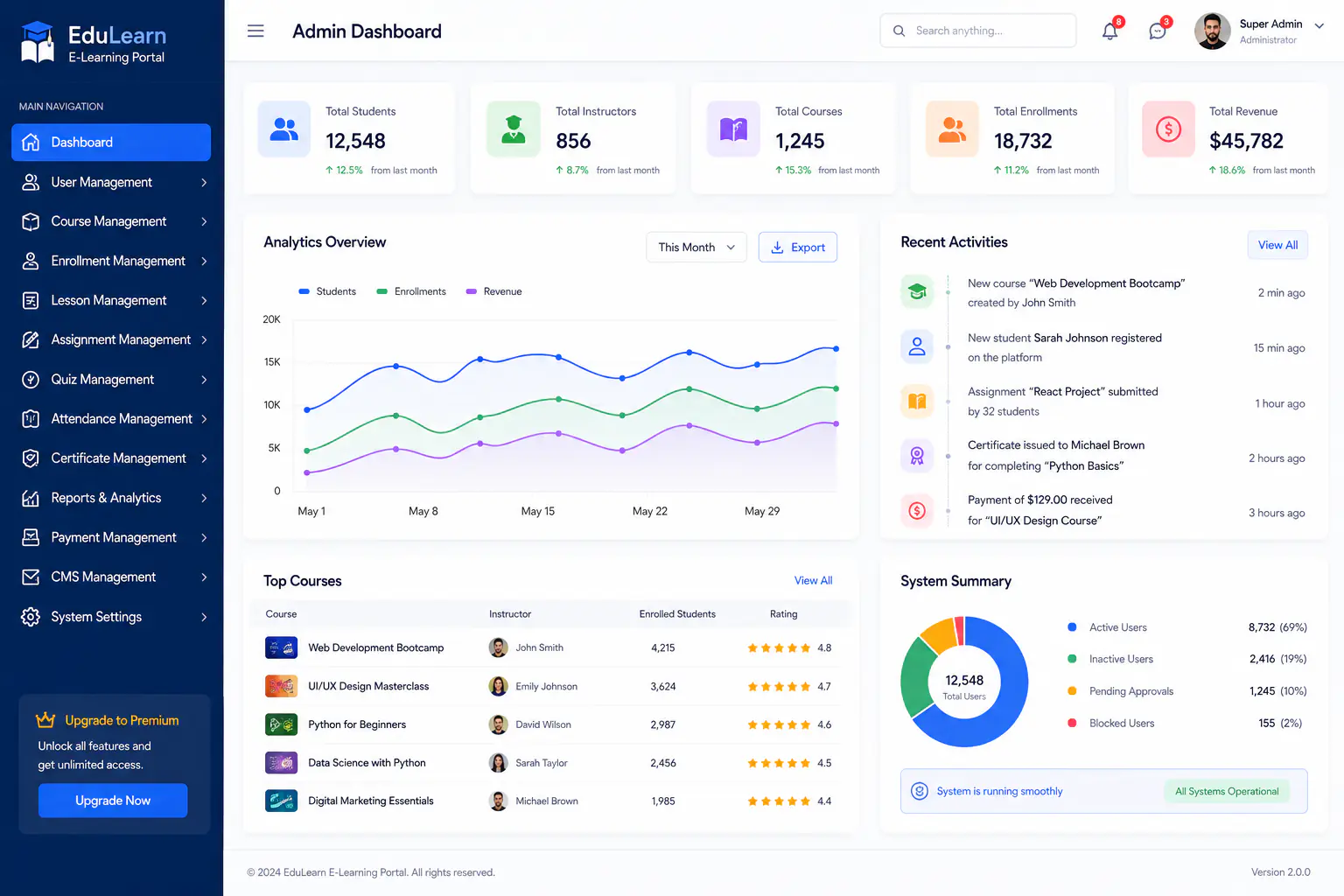
Admin overview of courses, enrollments, users, and learning activity across EduLearn.
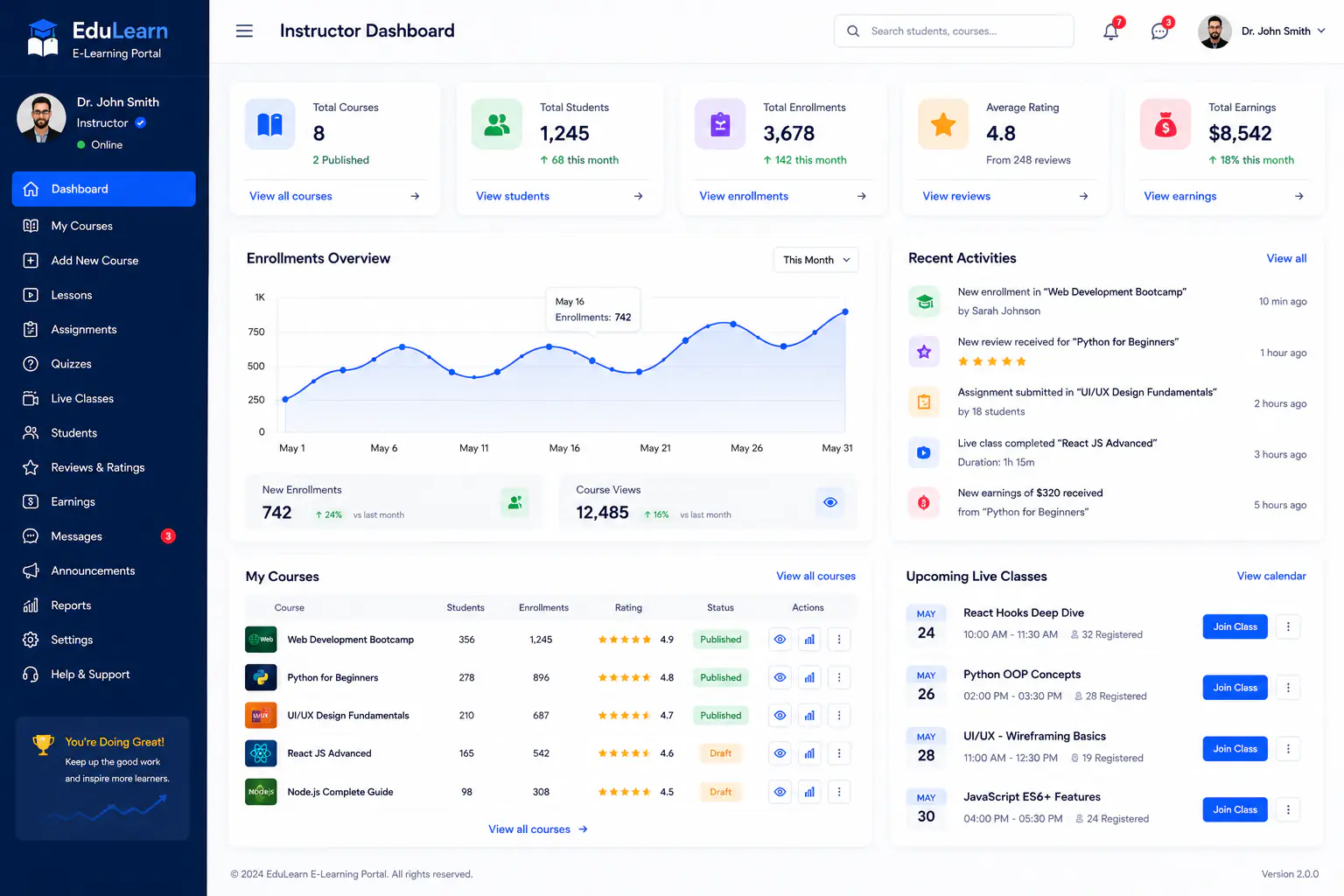
Instructor workspace for teaching load, course progress, and learner engagement.
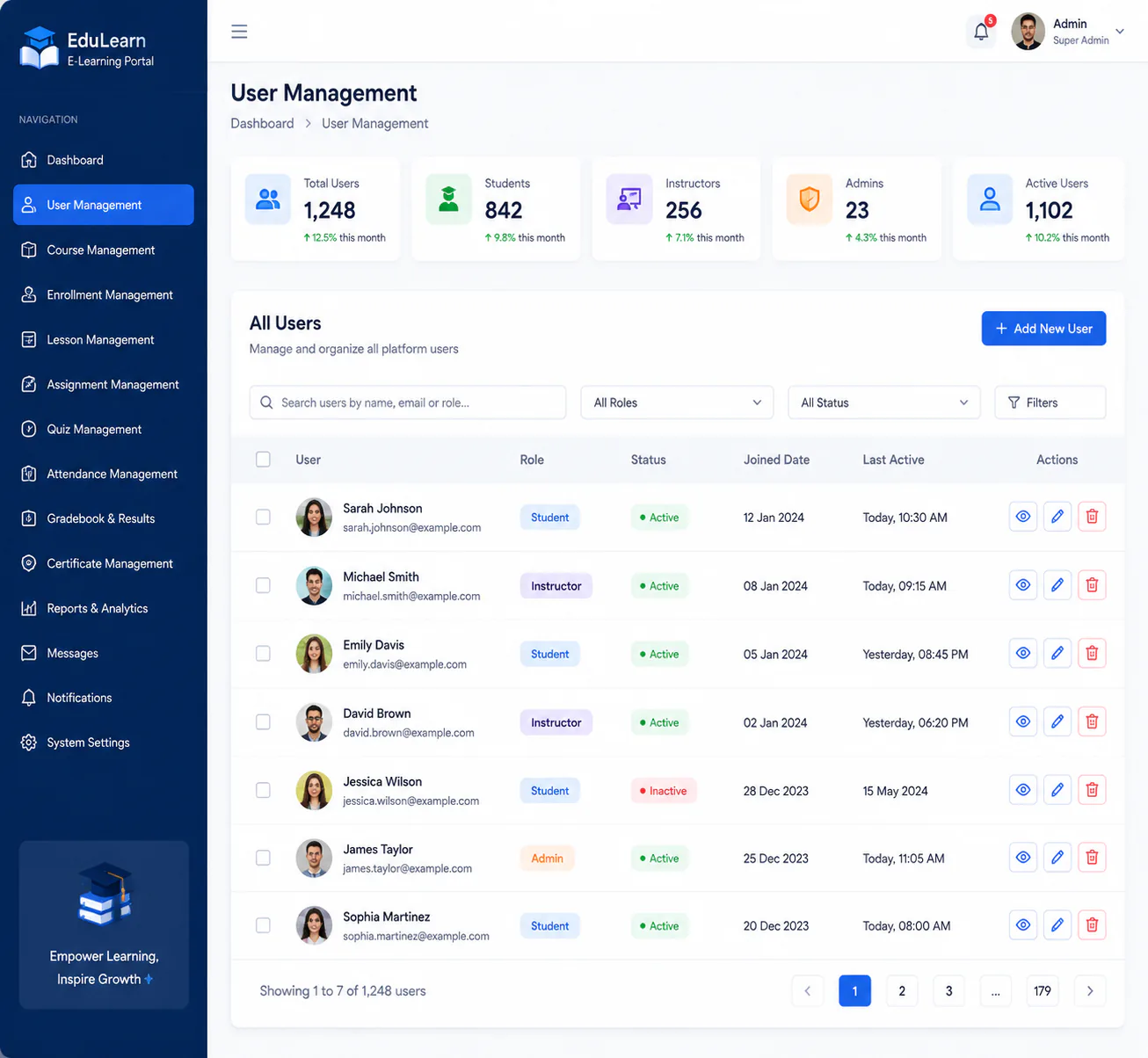
Manage learners, instructors, and admin roles with clear access controls.
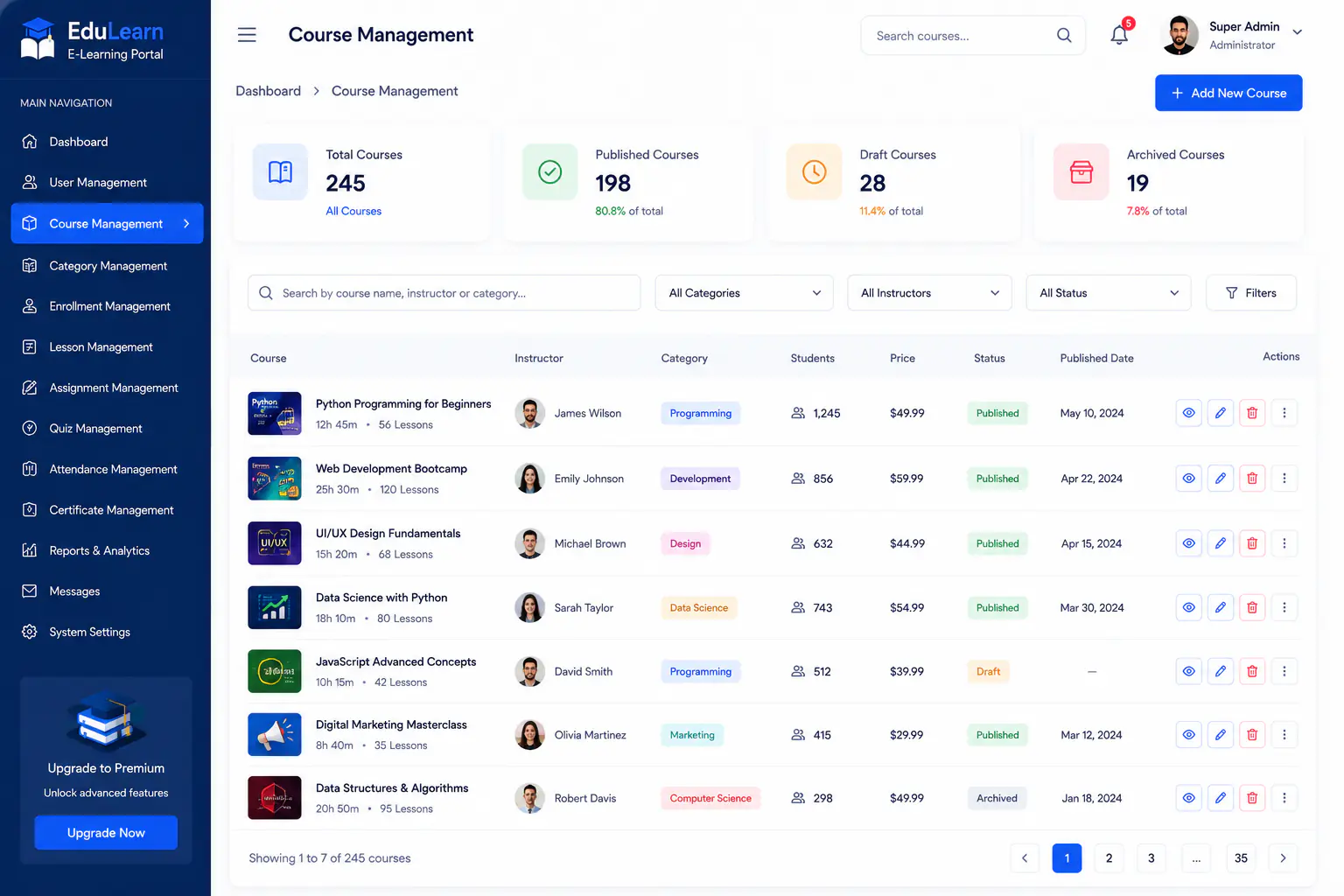
Create and organize courses with structure, status, and enrollment readiness.
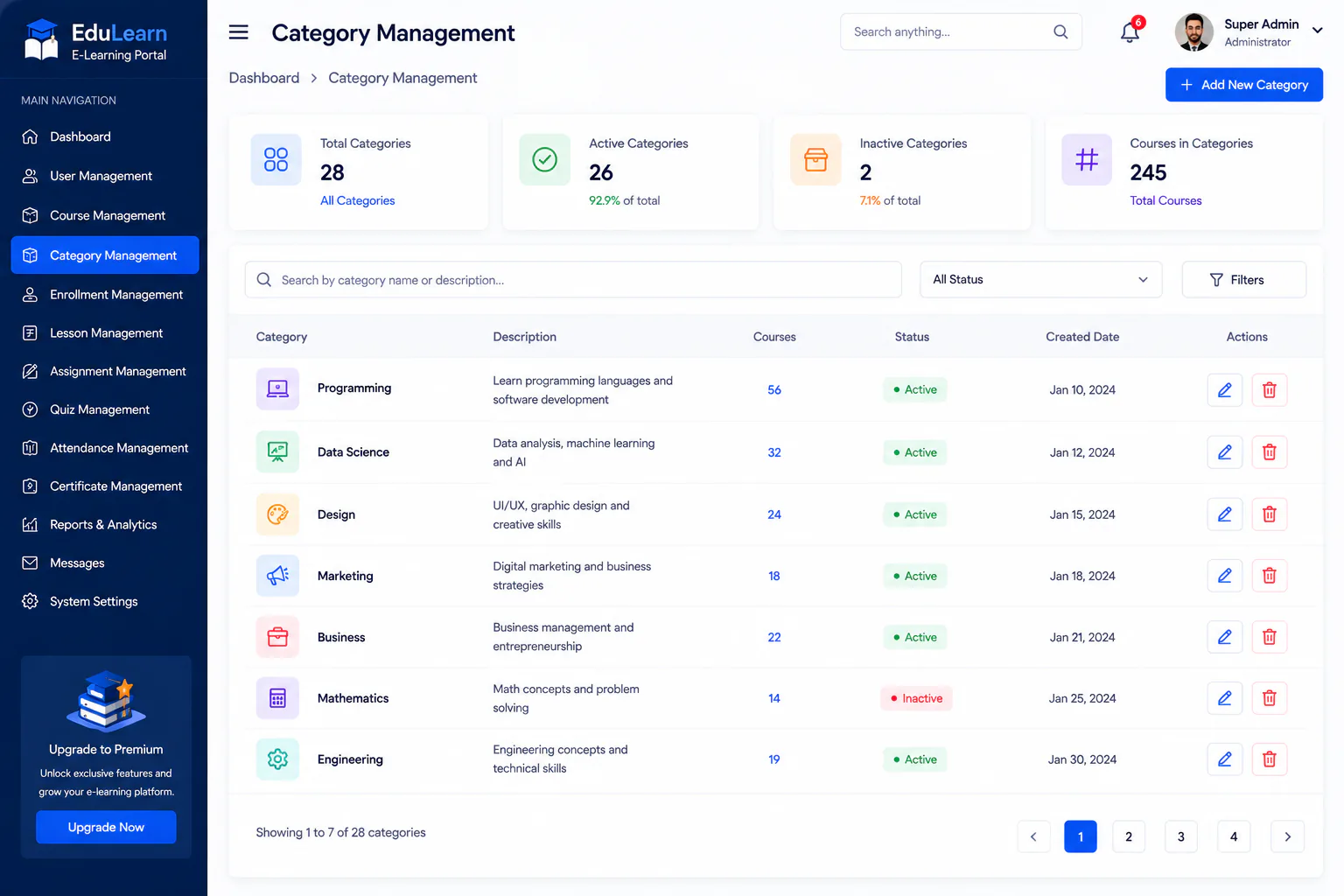
Group courses into categories so learners can browse and discover content faster.
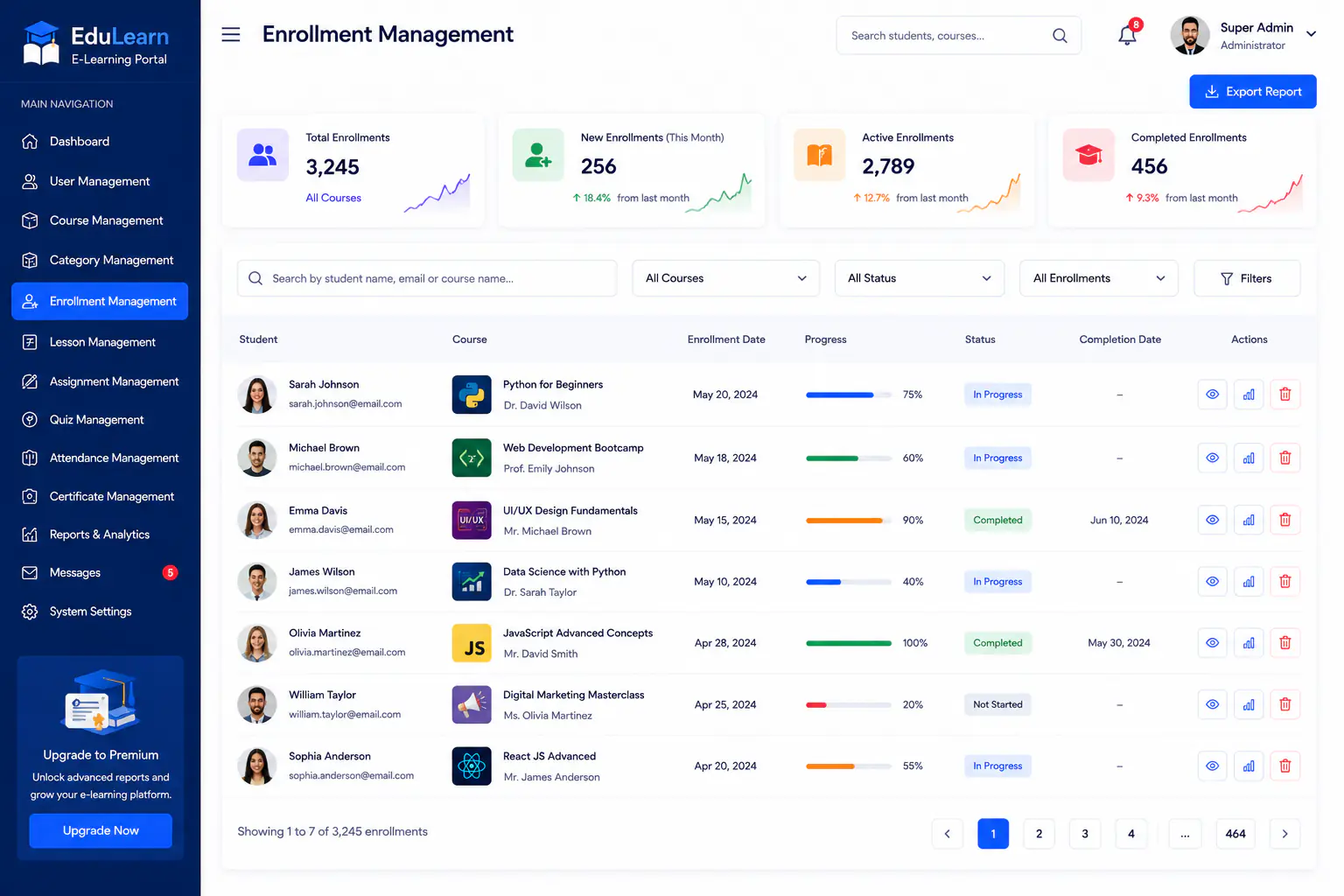
Track learner enrollments, status, and course access from one enrollment workspace.
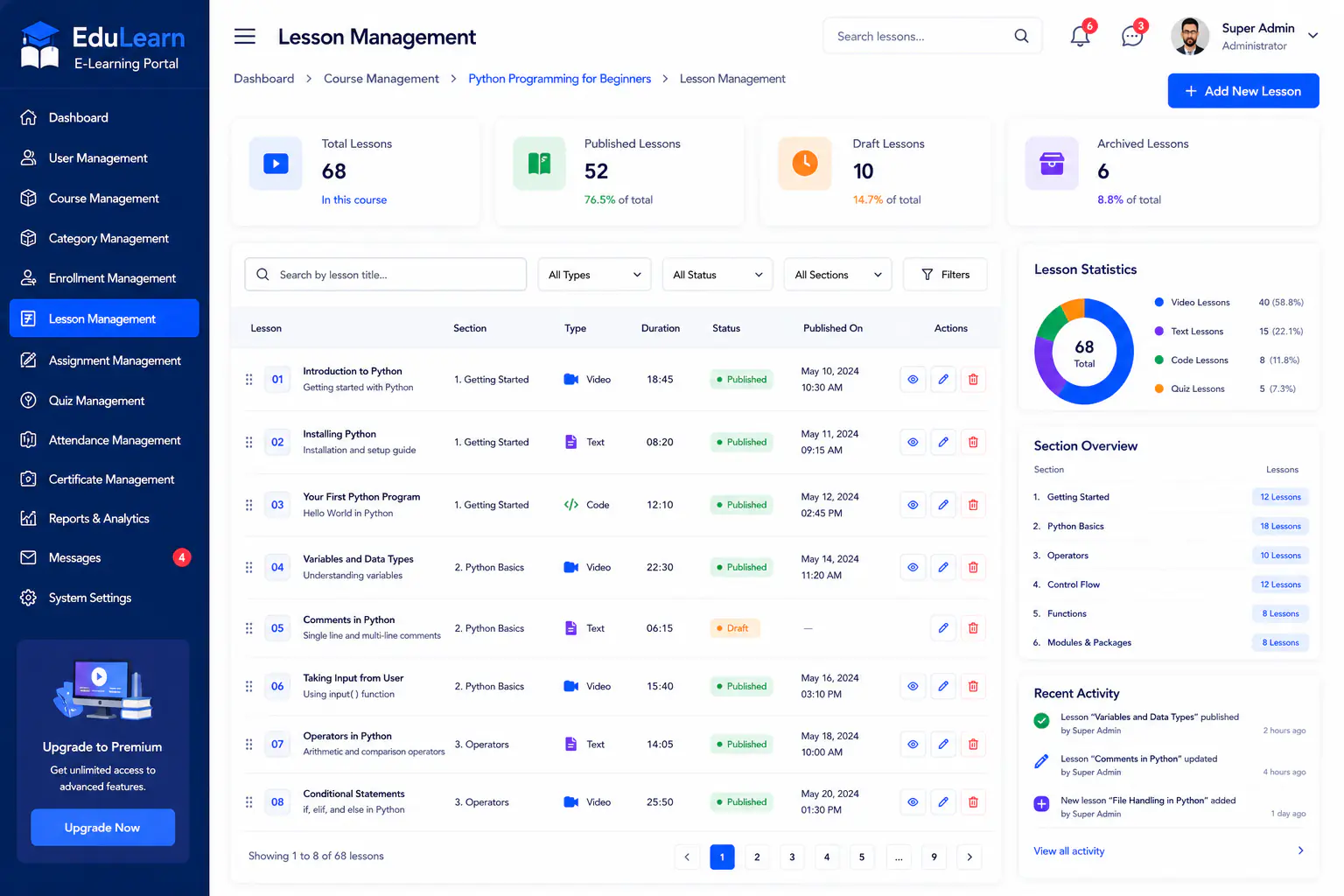
Build lessons and learning paths that instructors can publish inside each course.
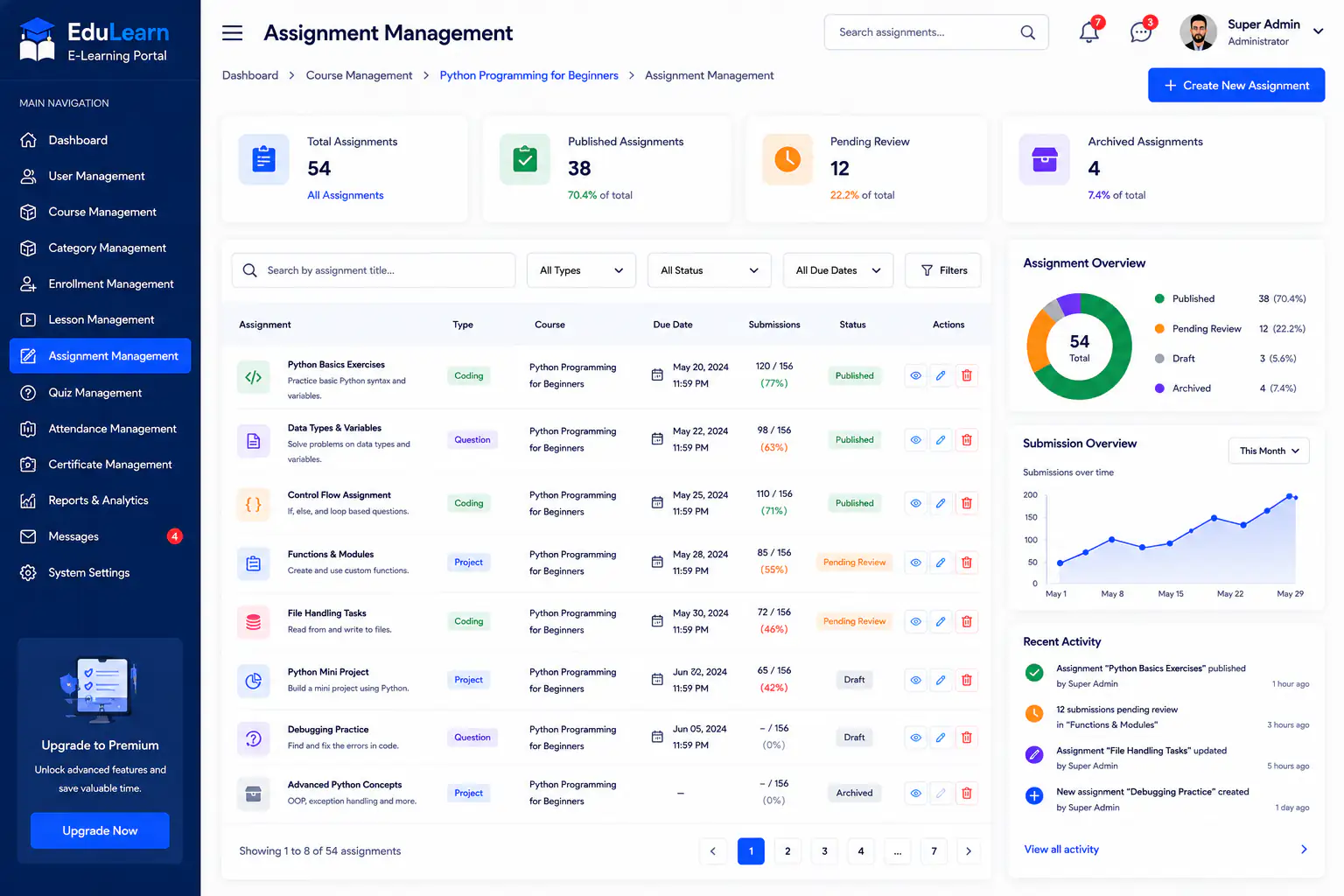
Assign coursework, collect submissions, and keep assignment progress visible.
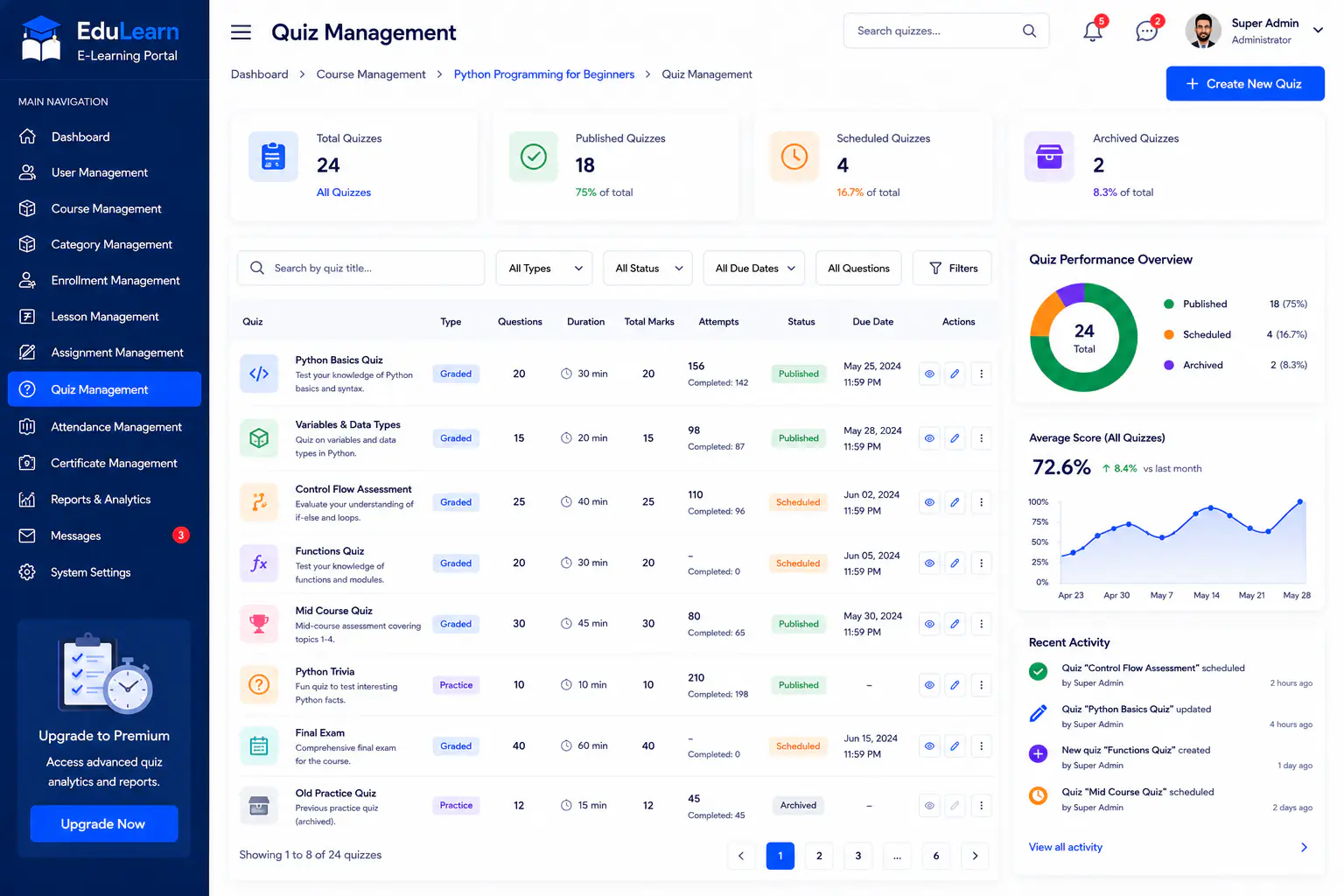
Create quizzes and assessments to measure learning outcomes across courses.
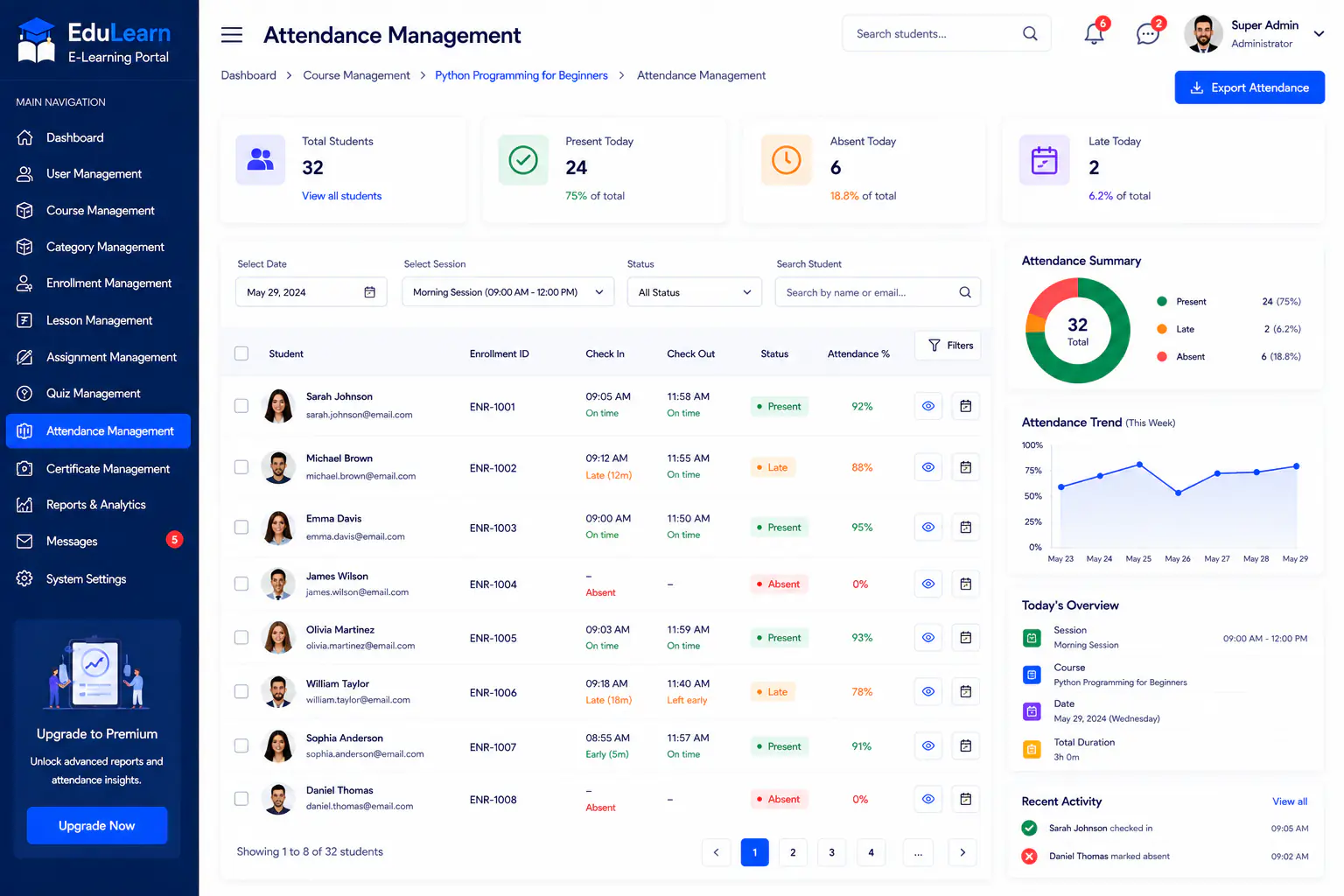
Record and review learner attendance for classes, sessions, and course activity.
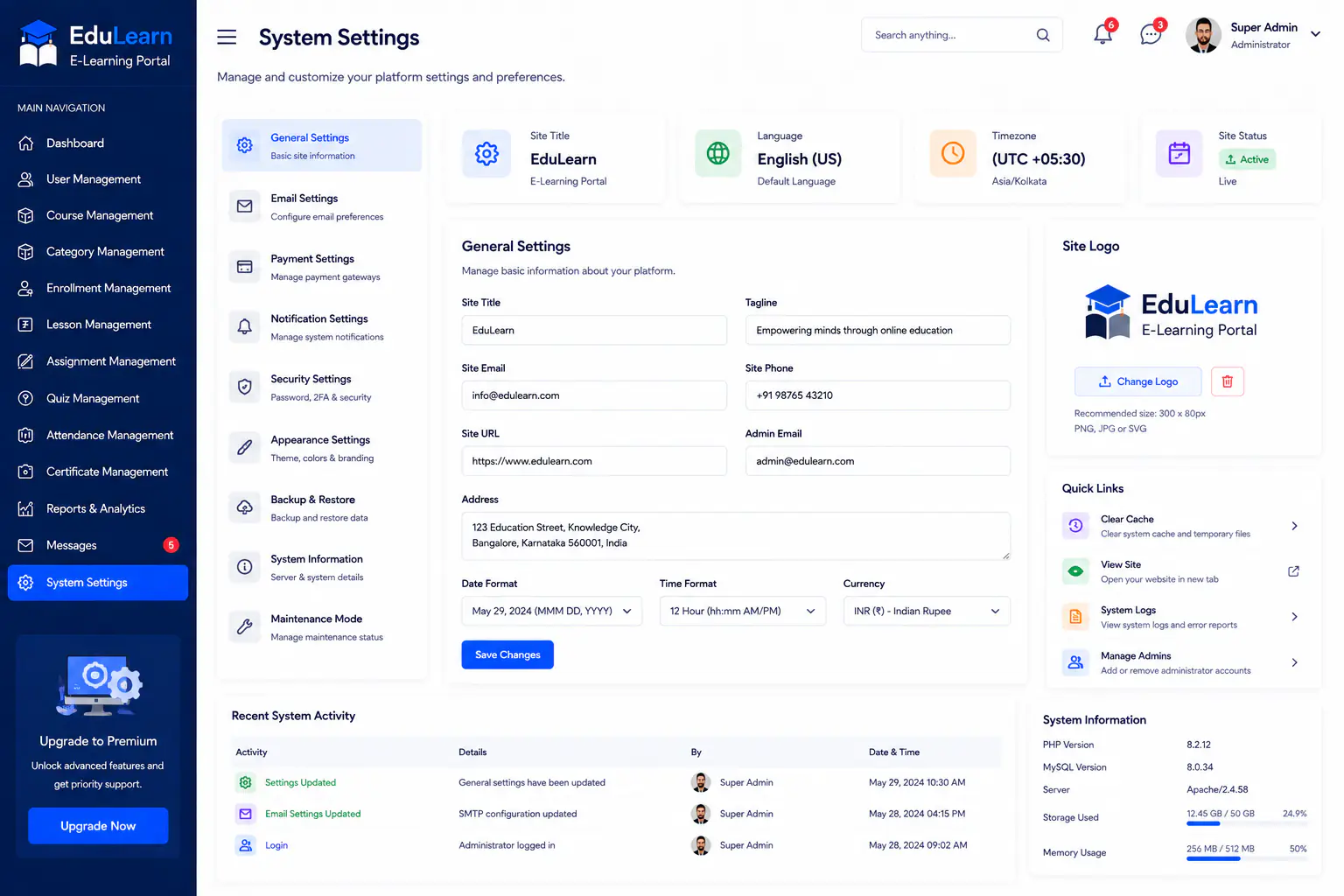
Configure EduLearn portal preferences, roles, and platform settings in one place.
Video
Outcome
Outcome 01
One EduLearn platform for courses, enrollments, and lessons
Outcome 02
Admin and instructor dashboards for daily learning operations
Outcome 03
Assignments and quizzes connected to course delivery
Outcome 04
Attendance tracking for sessions and learner participation
Outcome 05
User, category, and settings control for portal admins
Outcome 06
Secure sign-in for learners, instructors, and administrators
Project FAQs
Common questions about E-Learning Portal and how Next Software Development Company delivered this build.
Schools, training institutes, and education teams that need courses, enrollments, lessons, assignments, quizzes, attendance, instructor dashboards, and admin management in one EduLearn platform.
Secure sign-in, admin dashboard, instructor dashboard, users, courses, categories, enrollments, lessons, assignments, quizzes, attendance, and system settings.
Yes. Instructors get a dedicated dashboard for teaching load, course progress, and learner engagement inside EduLearn.
Yes. Enrollment management tracks learner status and course access from one workspace.
Yes. Teams can create assignments and quizzes to collect submissions and measure learning outcomes.
Attendance management records and reviews learner participation for classes, sessions, and course activity.
Yes. Admins can manage learners, instructors, roles, course categories, and portal settings from the admin modules.
Yes. EduLearn is designed for certificate-ready learning operations alongside courses, enrollments, and assessments.
Tell Next Software Development Company about your goals. We will reply within one business day.
Get a Free Quote