01
Process dine-in, takeaway, and delivery orders from one workflow
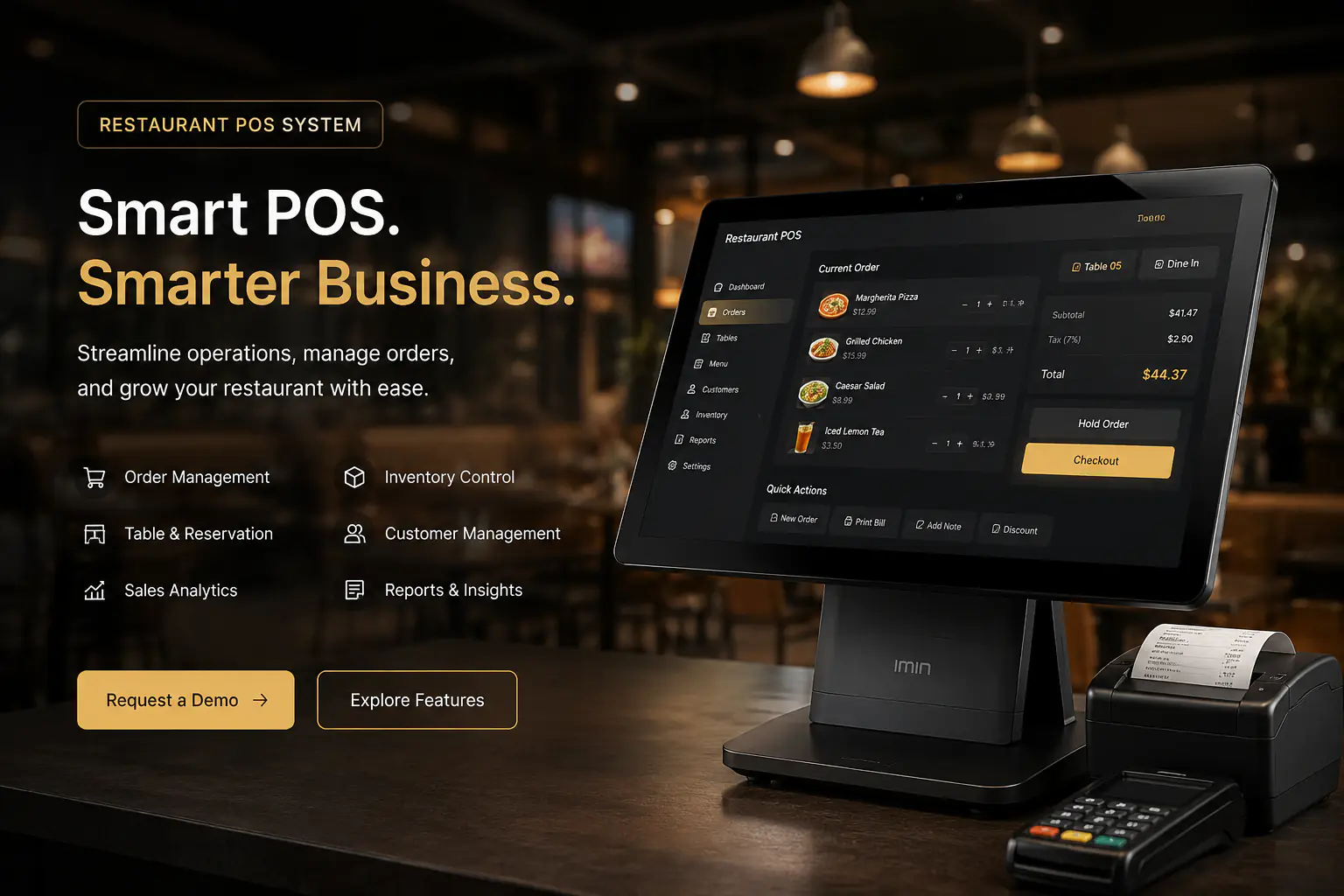
An all-in-one restaurant point-of-sale and management platform for orders, menus, tables, customers, inventory, employees, reporting, and day-to-day business settings.
System overview
A complete restaurant POS workspace for order management, inventory control, customers, analytics, and operational reporting.
Overview
Restaurant POS is an all-in-one point-of-sale and management platform built to keep front-of-house, kitchen, inventory, customer, and back-office operations connected.
Teams can handle dine-in, takeaway, and delivery orders while maintaining menus, customer profiles, table status, employee records, and stock from one consistent workspace.
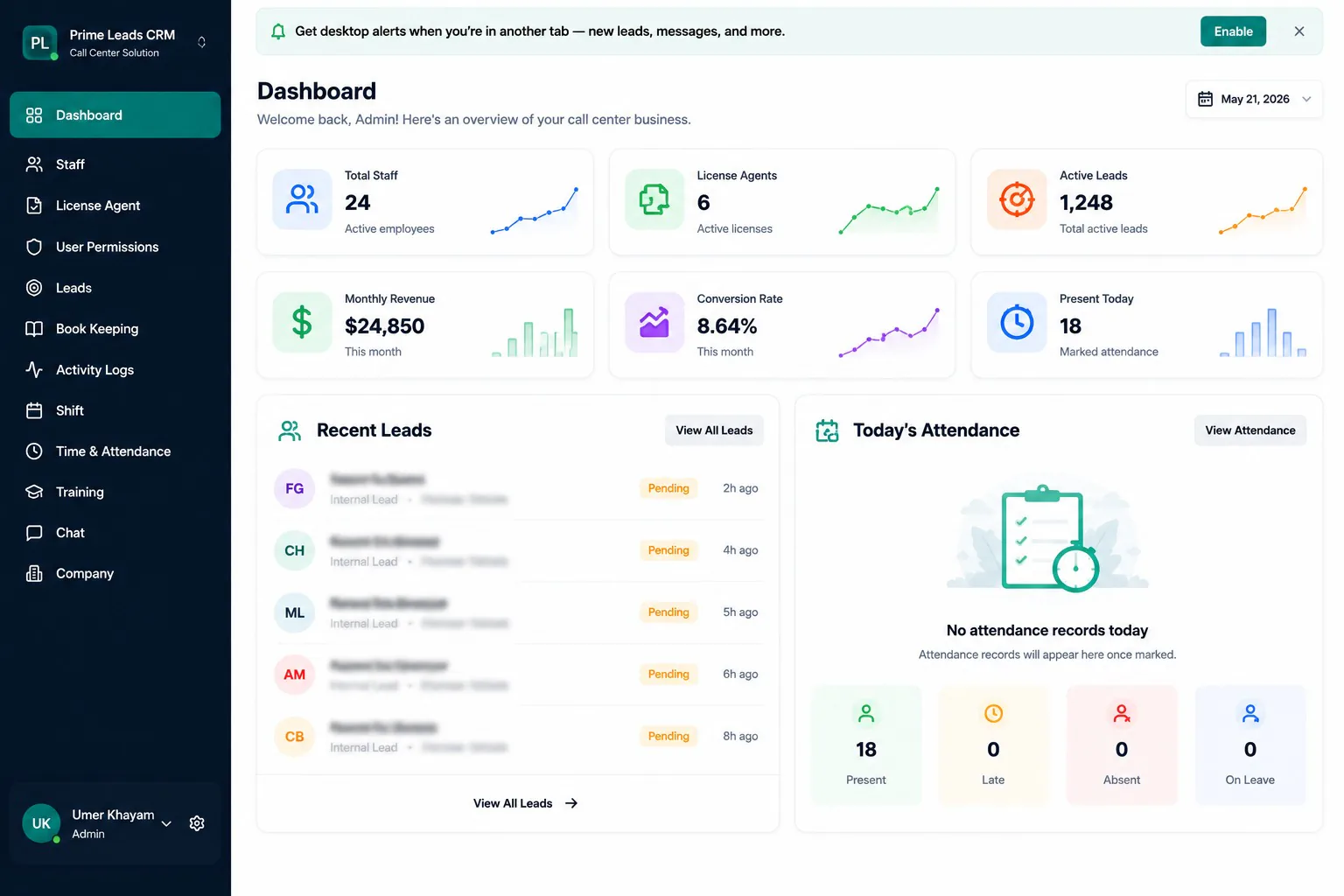
Managers get live visibility into sales, order volume, average order value, payment methods, popular items, customer activity, and inventory health.
Flexible settings for taxes, receipts, payments, permissions, notifications, backups, and integrations allow the system to fit the restaurant instead of forcing staff into disconnected tools.
Problem
Restaurant operations were fragmented across a basic billing tool, paper tickets, spreadsheets, and manual stock checks. Staff could not see order status consistently, menu updates took too long, inventory shortages appeared without warning, and managers lacked reliable sales, customer, and employee reporting.
Solutions
Why this product
When orders, menus, stock, customers, and reporting live in separate places, service slows down and small errors turn into lost revenue, wasted ingredients, and poor guest experiences.
Restaurant POS gives every team a shared operational system while providing owners with the live information they need to control costs and make faster decisions.
01
Process dine-in, takeaway, and delivery orders from one workflow
02
Keep menu prices, categories, and availability accurate everywhere
03
Prevent shortages with live stock levels and low-stock alerts
04
Build repeat business with customer profiles and loyalty insights
05
Manage employee roles, departments, and status centrally
06
Track sales, payments, orders, and product performance in real time
Procedure
01
Mapped ordering, kitchen handoff, table service, menu updates, stock control, staffing, and end-of-day reporting.
02
Designed the order lifecycle, shared restaurant data model, navigation, permissions, and manager workflows.
03
Built multi-channel ordering, itemized billing, kitchen actions, menu categories, pricing, and availability controls.
04
Connected customers, loyalty data, inventory, employees, tables, and reservations to the core POS.
05
Added analytics, exports, tax and payment settings, receipts, notifications, backups, integrations, and security.
06
Validated peak-service workflows, trained staff by role, migrated operational data, and refined the system after launch.
Client feedback
We needed more than a billing screen. Next Software Development Company delivered a complete restaurant POS that connects orders, menu management, customers, inventory, employees, and reporting. Our team works faster, managers can see what is happening in real time, and we finally have one system for daily restaurant operations.
Module pictures
A complete restaurant POS workspace for order management, inventory control, customers, analytics, and operational reporting.
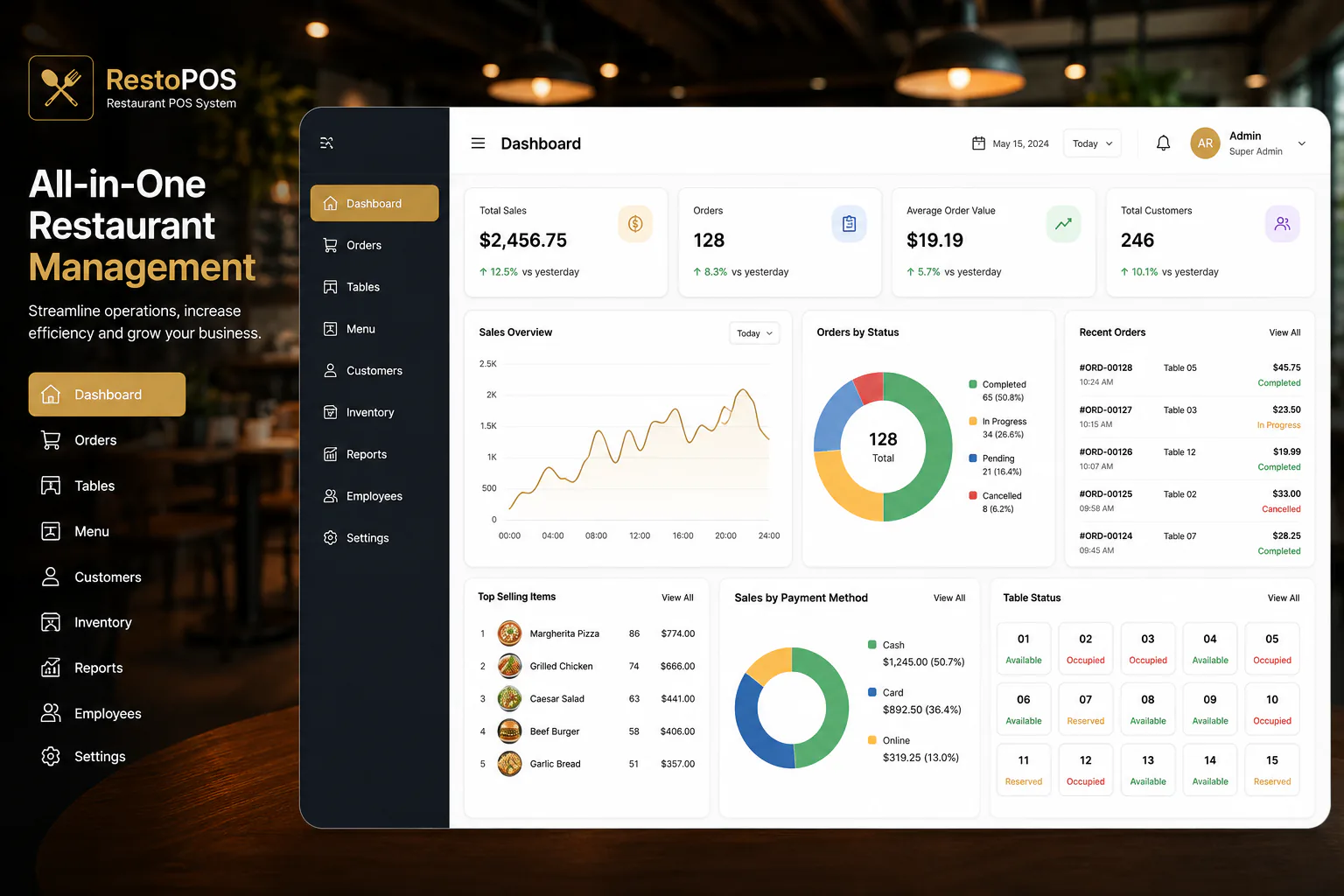
Live sales, order, customer, payment, table, and top-selling-item metrics give managers an immediate view of restaurant performance.
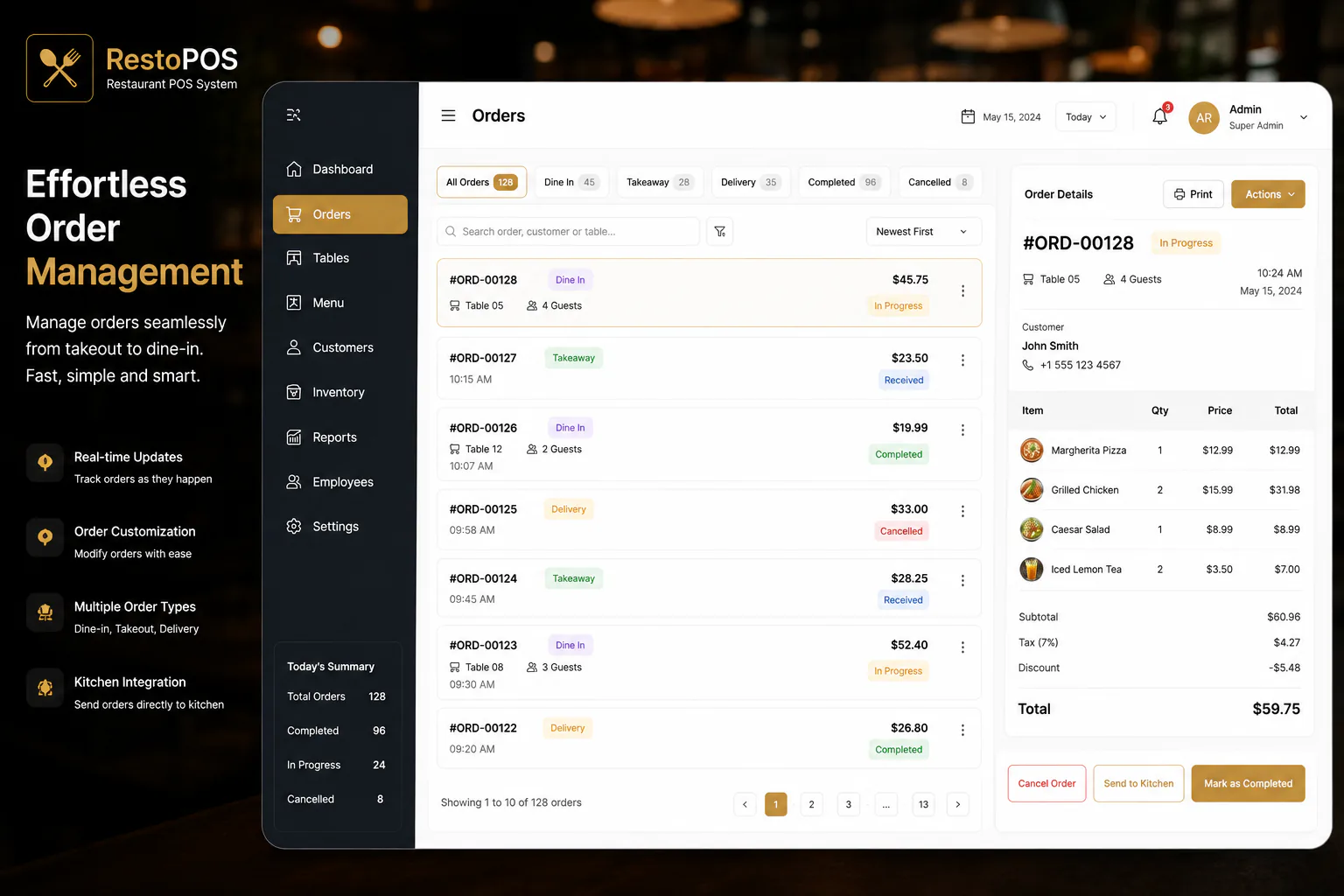
Track dine-in, takeaway, and delivery orders with customer details, item totals, kitchen handoff, and completion status.
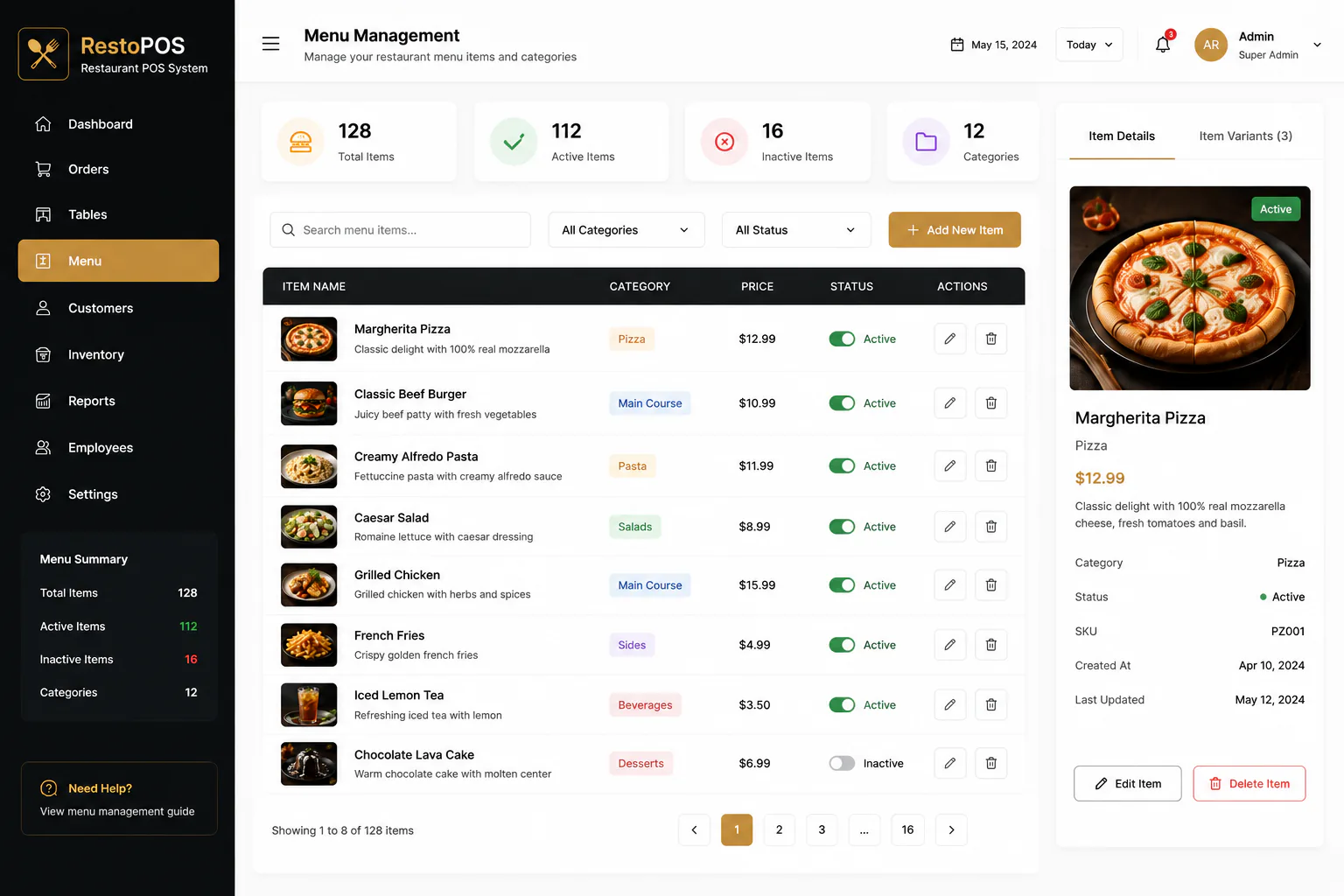
Manage menu categories, pricing, availability, item details, and images from one searchable catalog.
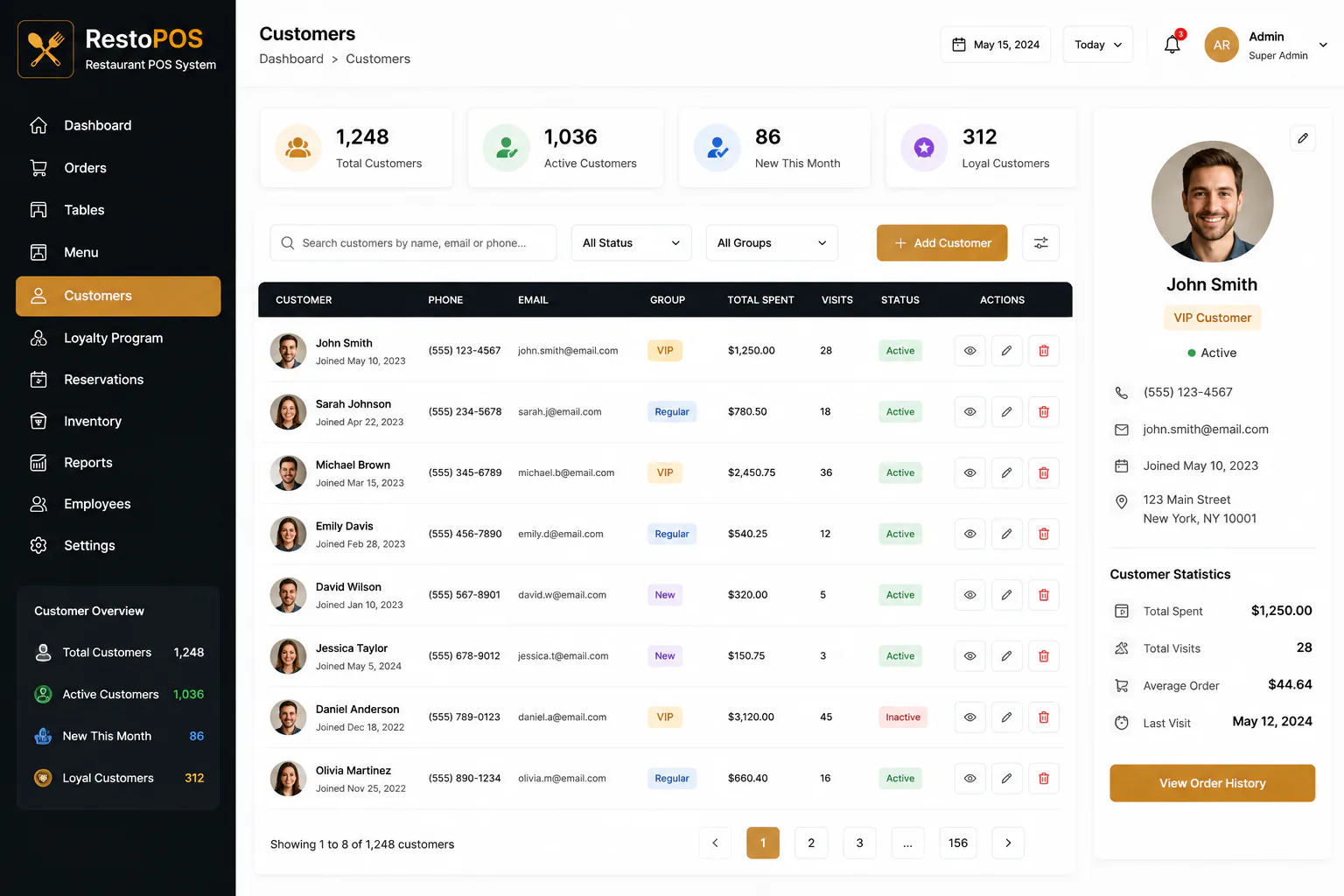
Maintain customer profiles, loyalty groups, visit history, total spend, contact details, and account status.
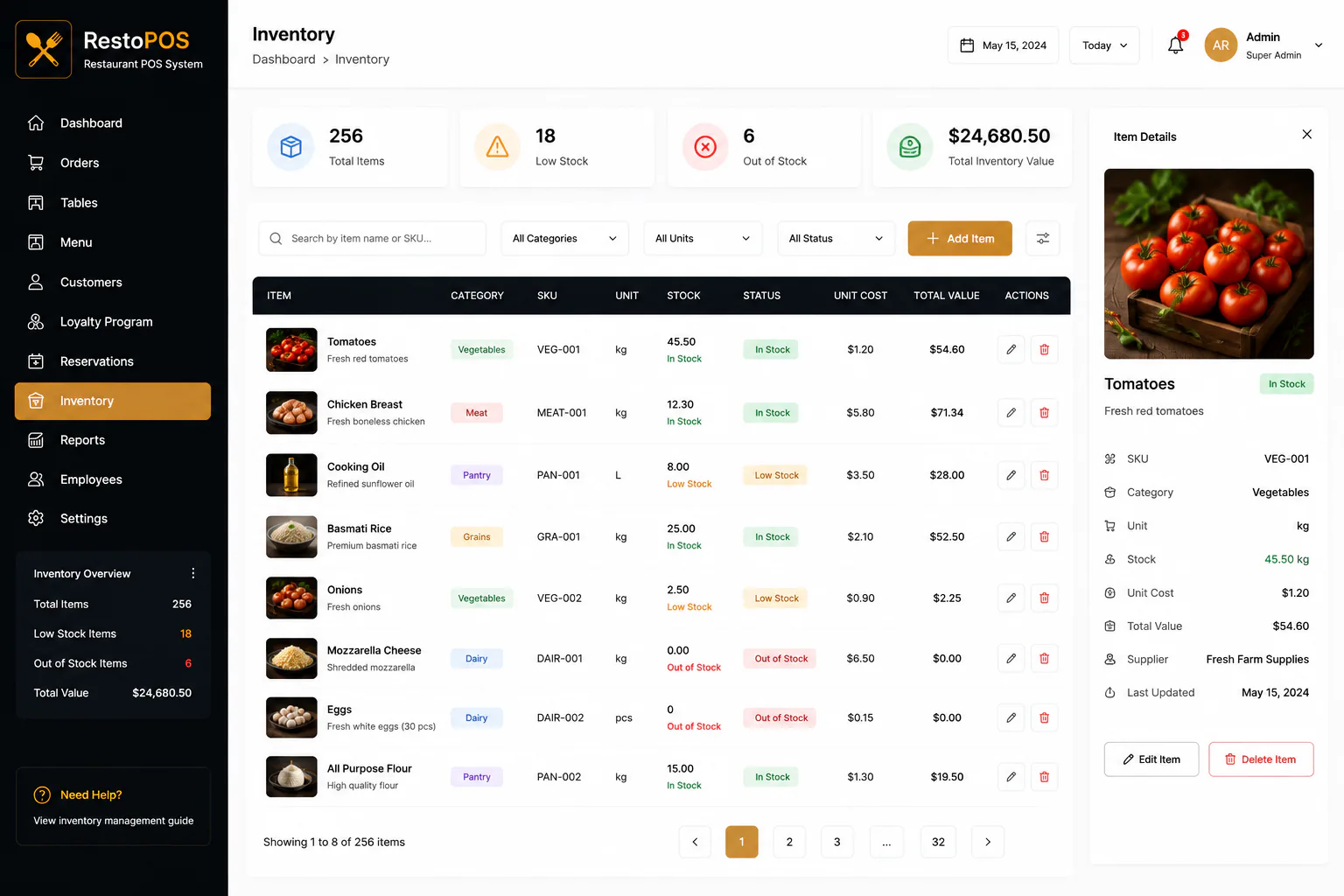
Monitor ingredients, stock levels, unit costs, suppliers, low-stock alerts, and total inventory value.
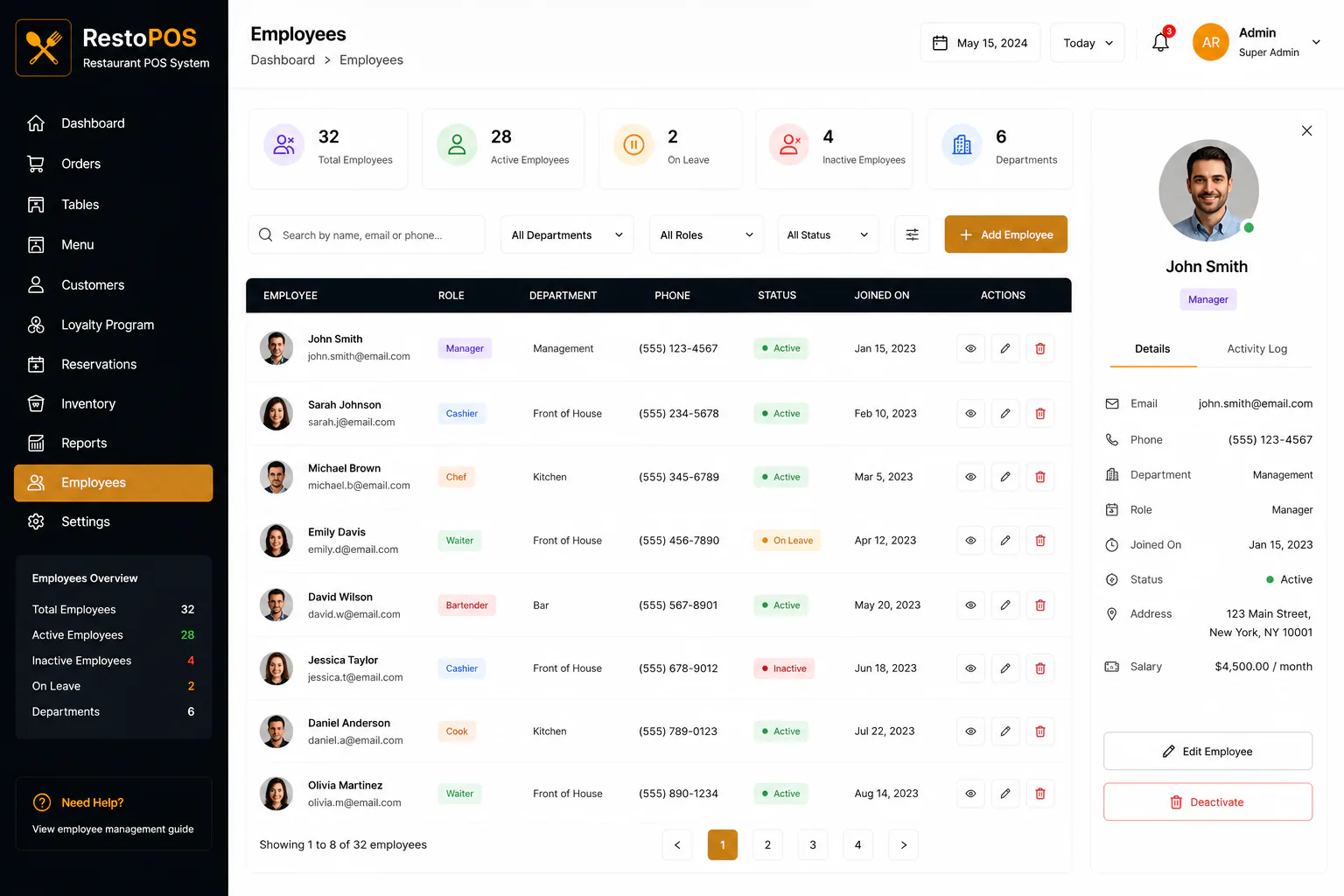
Manage employee records, roles, departments, employment status, contact details, and salary information.
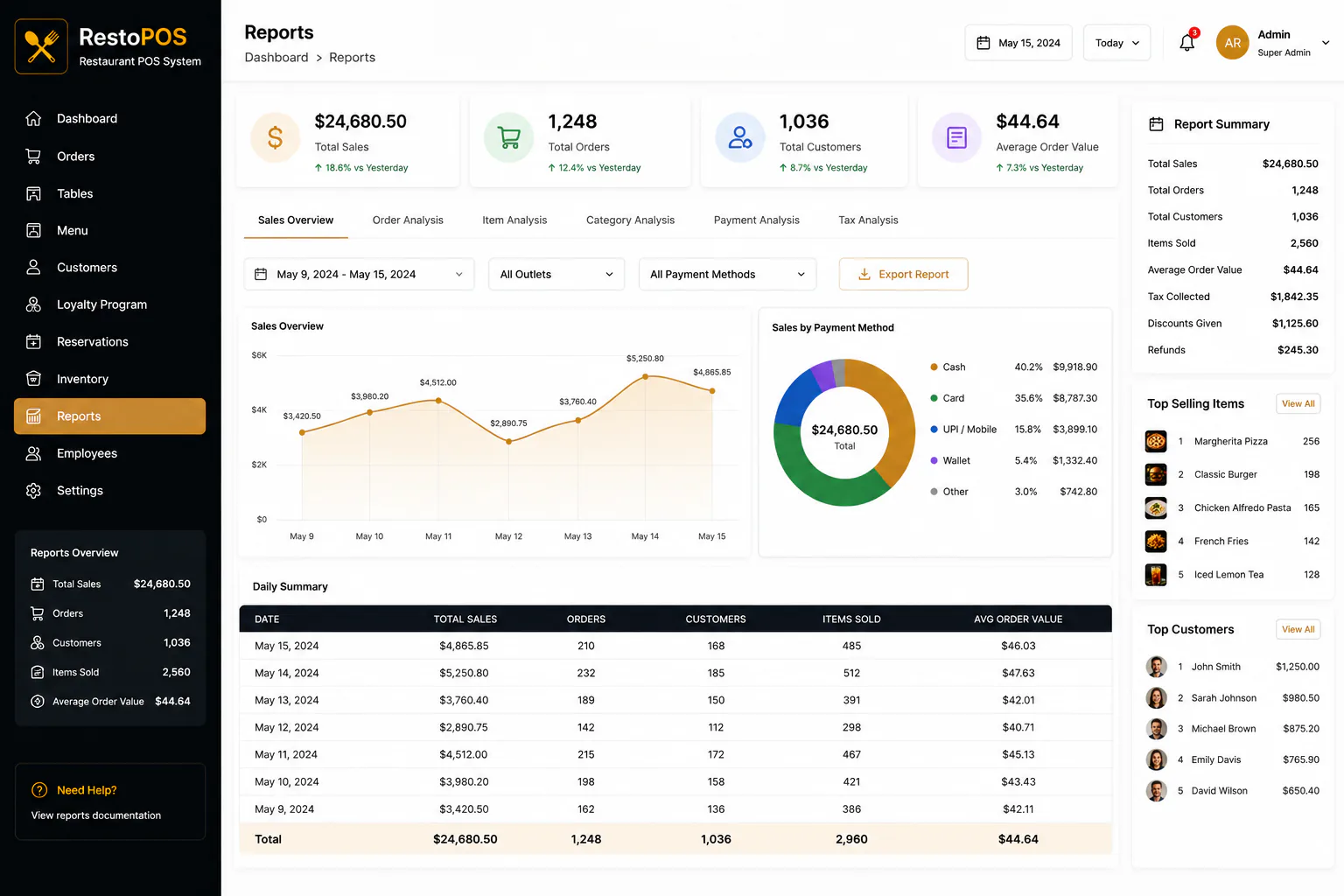
Analyze sales, orders, customers, products, payment methods, and daily performance with export-ready reports.
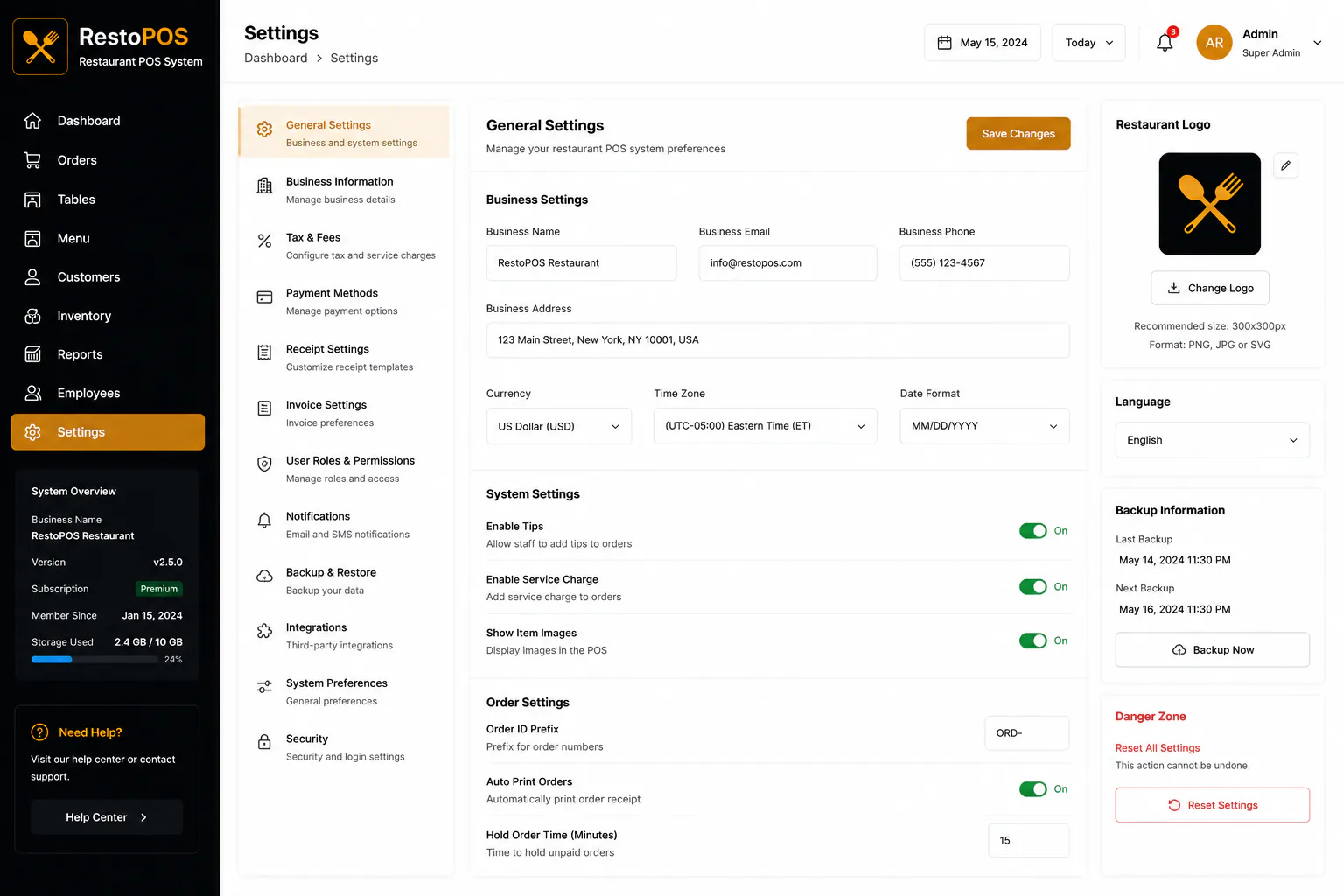
Configure business information, taxes, payments, receipts, roles, notifications, backups, integrations, and security.
Video
Outcome
Outcome 01
One connected platform for front-of-house and back-office operations
Outcome 02
Faster order processing across dine-in, takeaway, and delivery
Outcome 03
Better stock control through live quantities and shortage alerts
Outcome 04
Clear sales, payment, customer, and product performance reporting
Outcome 05
Consistent employee, menu, customer, and business configuration
Outcome 06
A scalable operational foundation for growing restaurant teams
Project FAQs
Common questions about Restaurant POS and how Next Software Development Company delivered this build.
Restaurants, cafés, quick-service businesses, and hospitality teams that need ordering, menu, inventory, customer, employee, and reporting tools in one platform.
The order workflow supports dine-in, takeaway, and delivery, with status tracking, customer and table details, itemized totals, and kitchen actions.
Yes. Staff can manage categories, prices, descriptions, images, variants, and active or inactive availability for each menu item.
Yes. Inventory includes stock quantities, units, costs, suppliers, total value, and low-stock or out-of-stock alerts.
Yes. Customer profiles include contact details, loyalty groups, total spend, visit counts, order history, and account status.
Managers can review sales, orders, customers, items sold, average order value, payment methods, category analysis, taxes, discounts, and refunds.
Yes. User roles and permissions can restrict access so employees only see the modules and actions required for their responsibilities.
Yes. The settings area covers business details, taxes, service charges, payment methods, receipts, invoices, notifications, backups, integrations, and security.
Tell Next Software Development Company about your goals. We will reply within one business day.
Get a Free Quote