Capability 01
Order and table management
Harbor Table Hospitality
Harbor Table Hospitality was losing tickets between the floor and the kitchen while inventory lived in a separate habit. We connected service and stock in one POS rhythm.
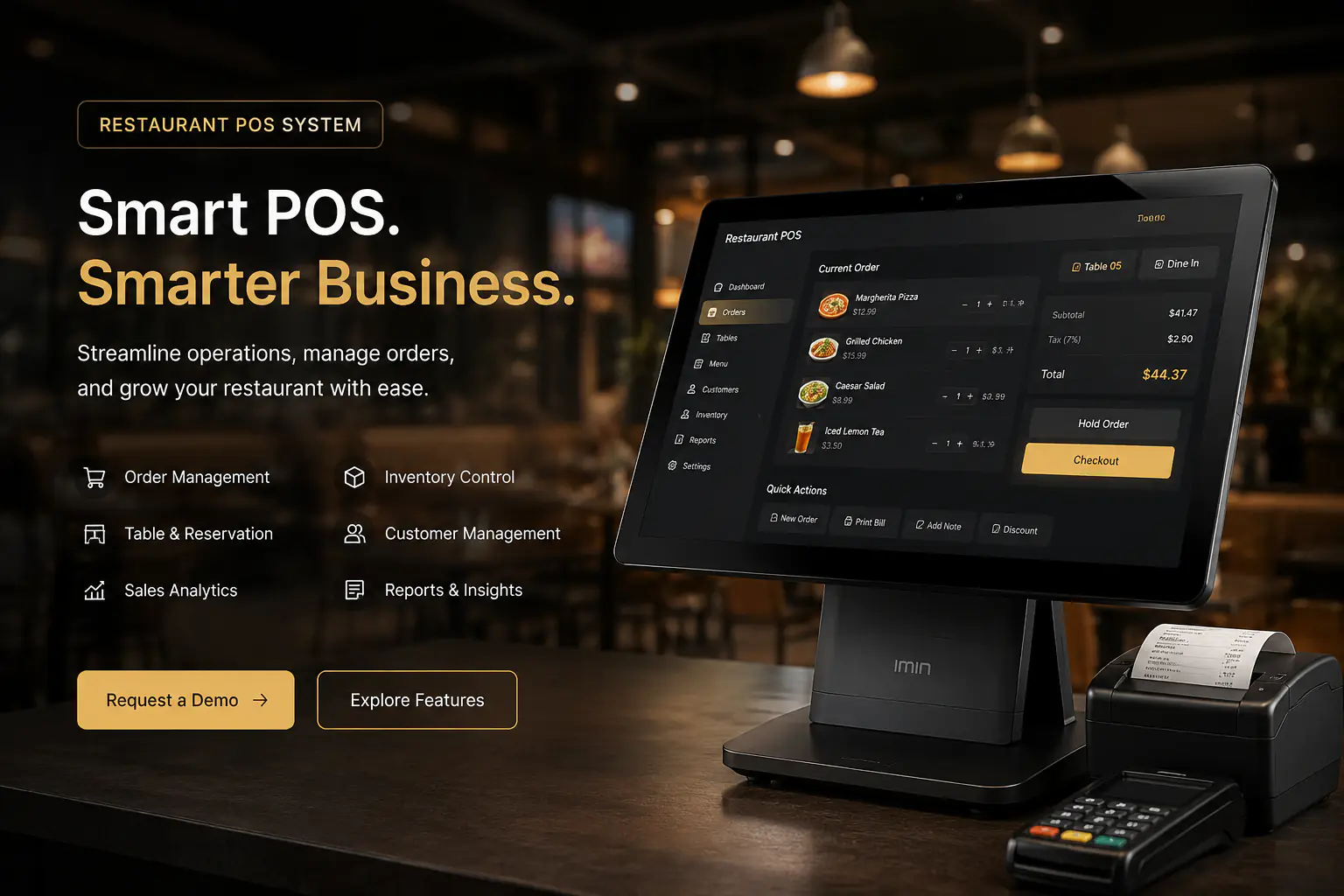
System overview
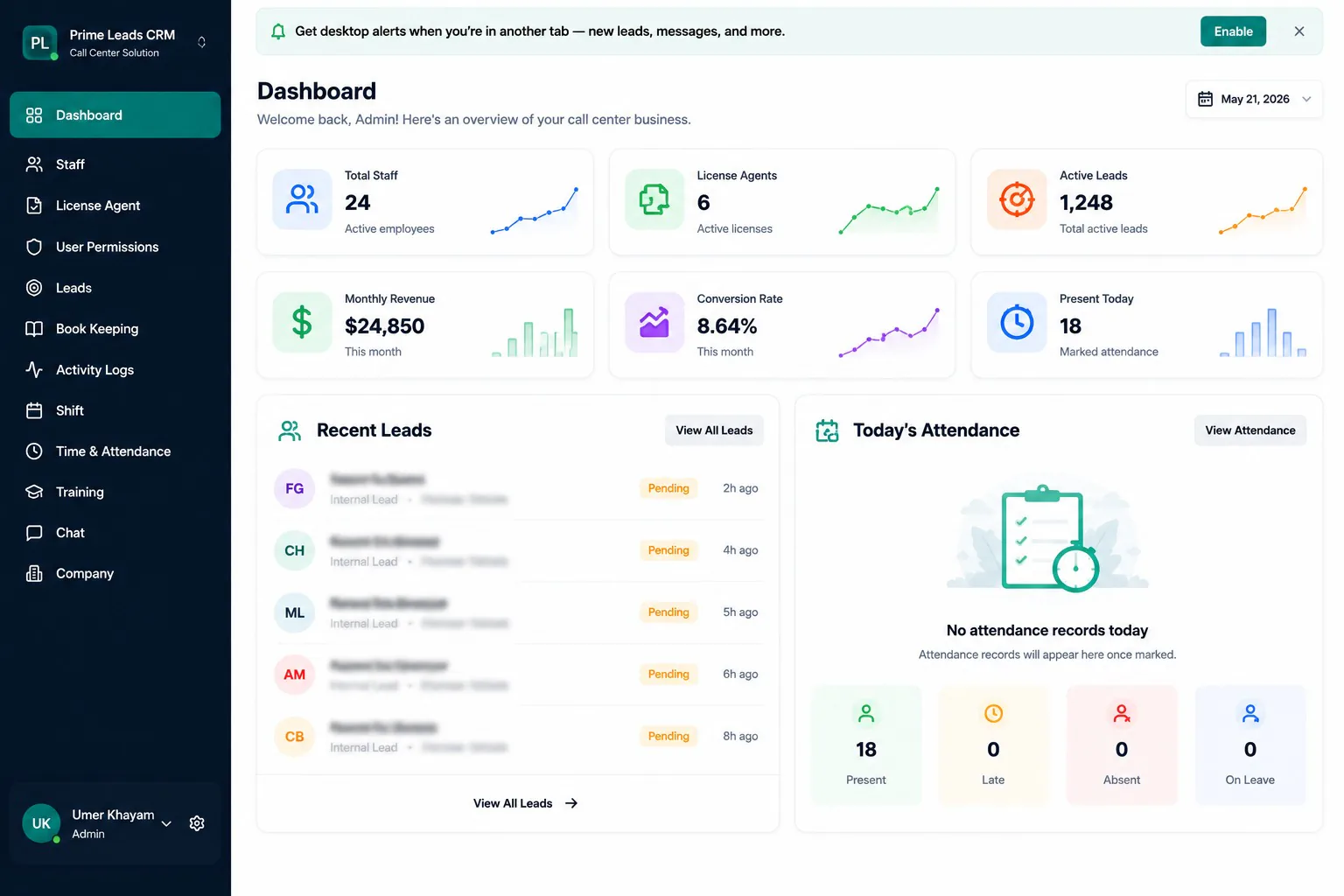
A complete restaurant POS workspace for order management, inventory control, customers, analytics, and operational reporting.
Engagement
Peak hours exposed every gap: slow modifiers, unclear table status, and stock counts that never matched the night’s sales.
We designed around ticket velocity, fewer taps to fire an order, then wired inventory so popular items could not silently stock out.
Staff and reporting modules followed once the order path felt natural to servers and managers.
Harbor Table now runs front of house and back office decisions from the same nightly picture.
Challenge
Harbor Table Hospitality was losing tickets between the floor and the kitchen while inventory lived in a separate habit. Peak hours exposed every gap: slow modifiers, unclear table status, and stock counts that never matched the night’s sales.
Orders were fast only when veterans remembered workarounds. Newer servers slowed the line hunting taps, and managers discovered missing stock after the rush, too late to fix the shift. Front of house speed and back office control never shared one nightly picture.
Prior POS and stock tools failed because inventory lagged the ticket path. Staff treated stock counts as a chore after close, so low inventory never warned the dinner rush. Reporting required exports that managers did not trust during service.
What was at stake was guest wait times, food cost waste from silent stockouts, and an expensive training burden every time a new server joined. Multi outlet growth would copy the same fragmented habits without a shared playbook.
Harbor Table needed a POS designed around ticket velocity first, then menus, inventory, staff, and reports wired so numbers matched what the floor actually sold.
Approach
We instrumented the real ticket path first, simplified modifiers and table flow, then attached inventory and employee modules so numbers matched what the floor sold.
Capabilities
Capability 01
Order and table management
Capability 02
Menu and inventory control
Capability 03
Customer and employee modules
Capability 04
Sales and operations reporting
Capability 05
Day to day business settings
Capability 06
Unified restaurant dashboard
Stack
Results
Outcome 01
Average ticket entry time dropped for complex modifiers
Outcome 02
Low stock warnings appear before the dinner rush, not after
Outcome 03
Managers close shifts with sales and inventory in one report set
Outcome 04
New servers follow the same path veterans already trusted
Outcome 05
Customer and employee records stay attached to operational history
Outcome 06
Multi outlet expansion can reuse the same POS playbook
Insights
Screenshots
Interface snapshots from the live build. For full module documentation, see the Restaurant POS project page.
A complete restaurant POS workspace for order management, inventory control, customers, analytics, and operational reporting.
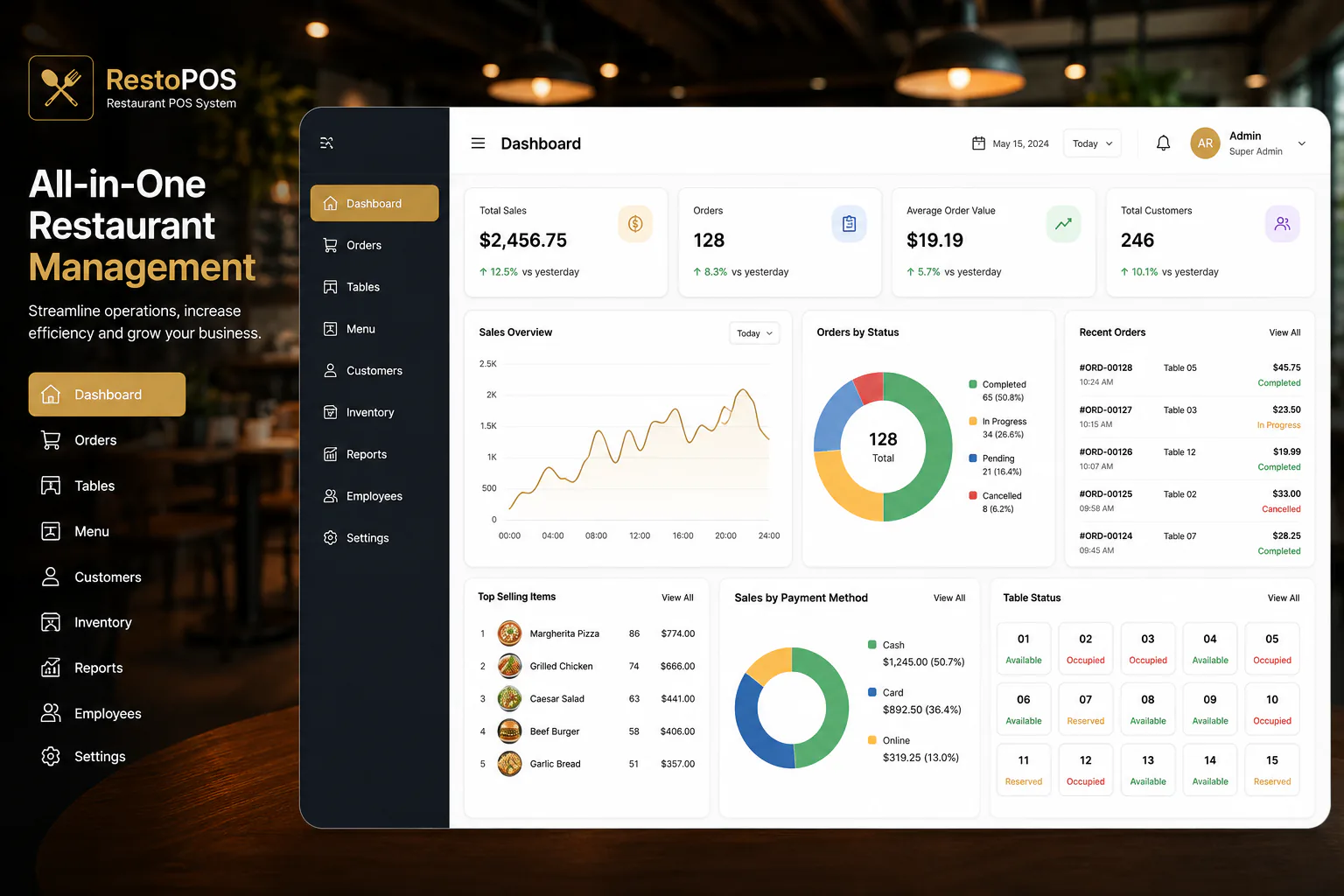
Live sales, order, customer, payment, table, and top selling item metrics give managers an immediate view of restaurant performance.
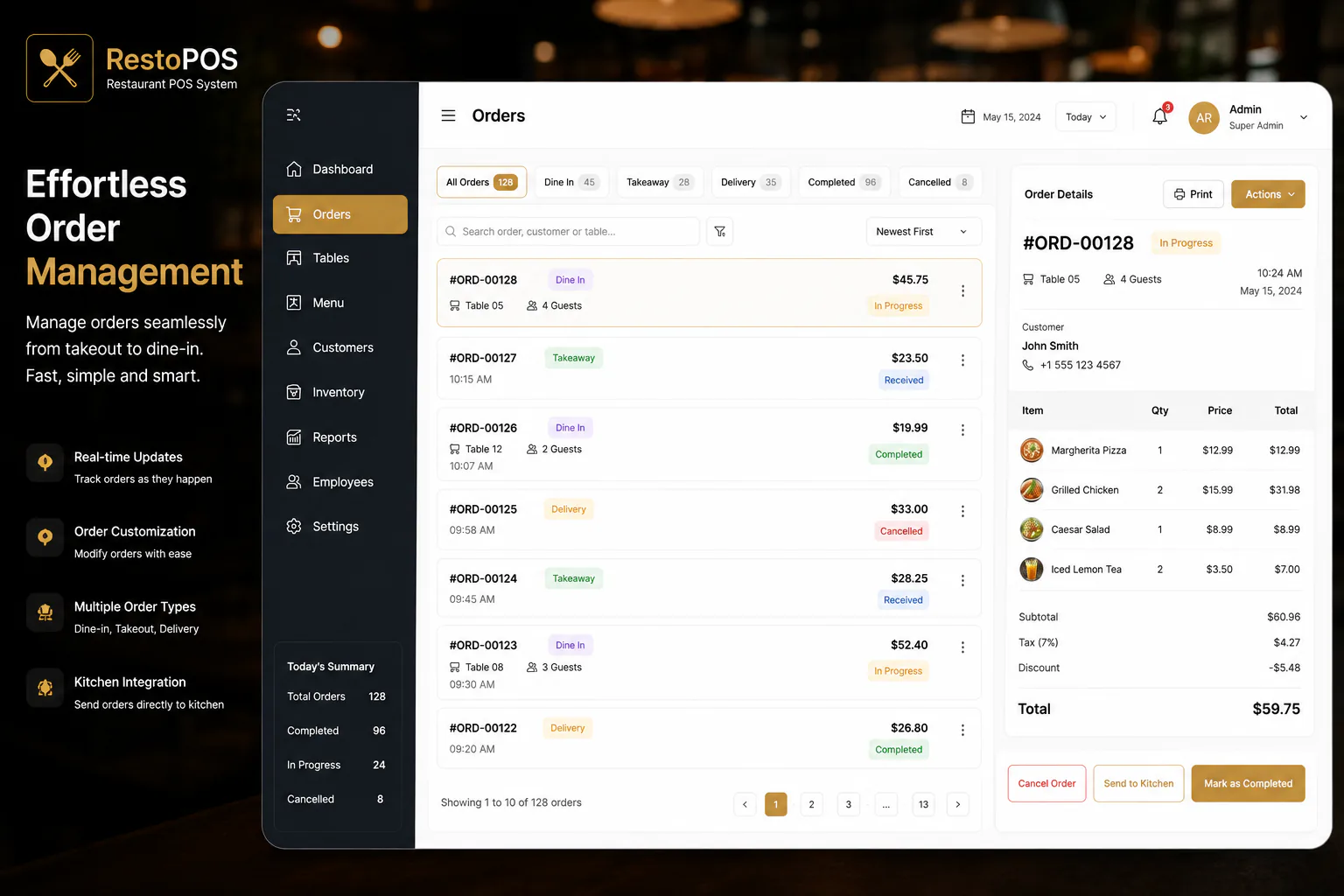
Track dine in, takeaway, and delivery orders with customer details, item totals, kitchen handoff, and completion status.
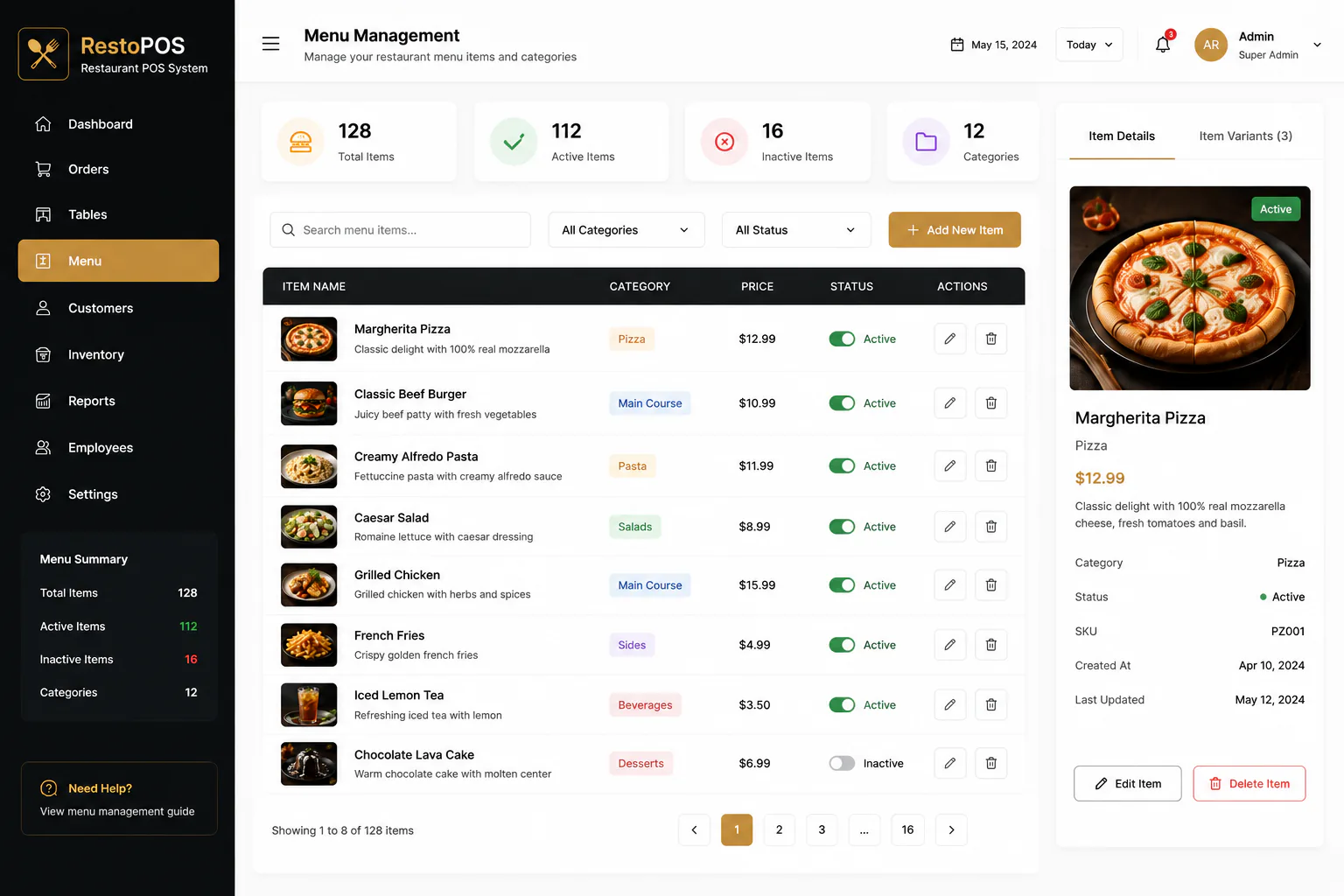
Manage menu categories, pricing, availability, item details, and images from one searchable catalog.
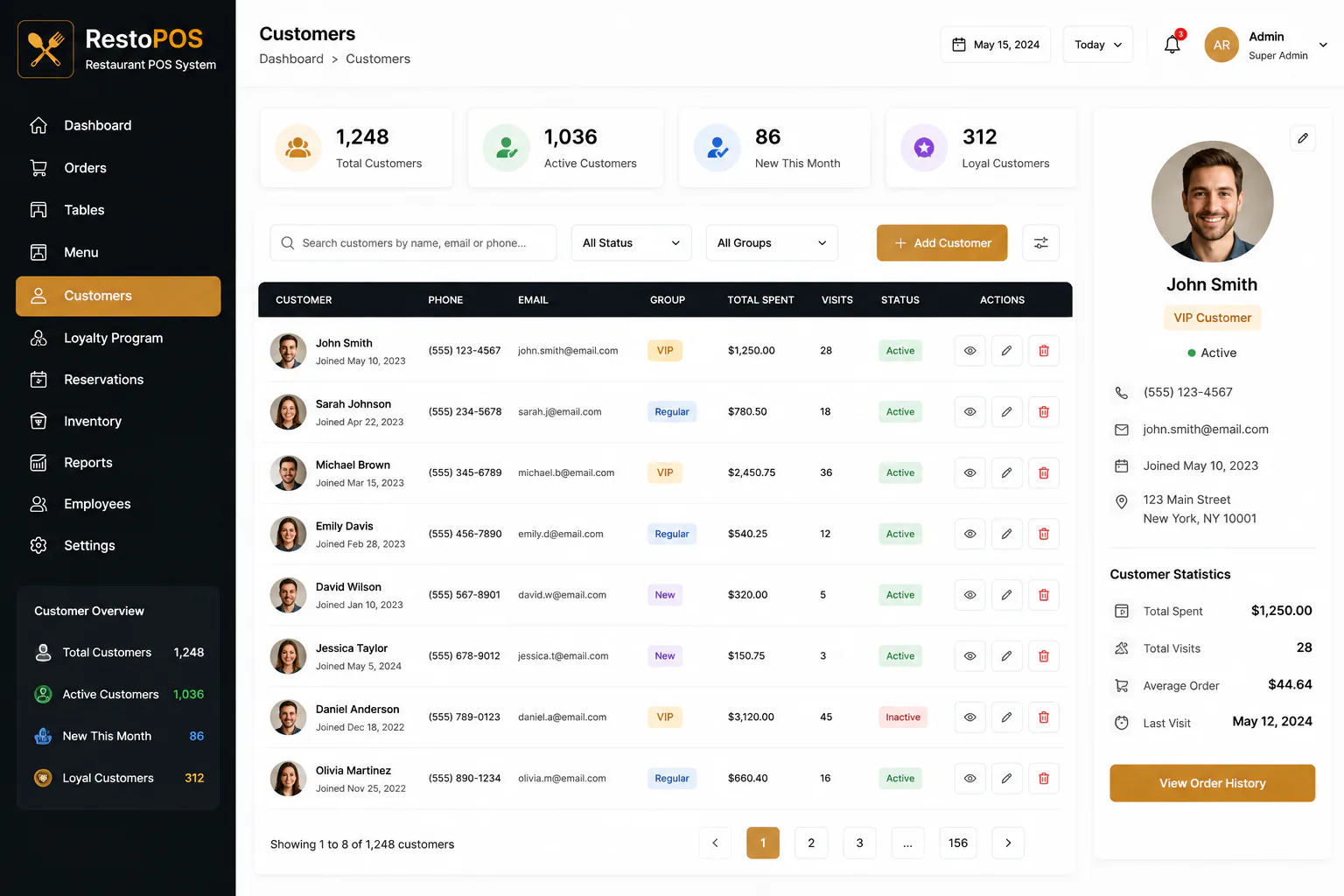
Maintain customer profiles, loyalty groups, visit history, total spend, contact details, and account status.
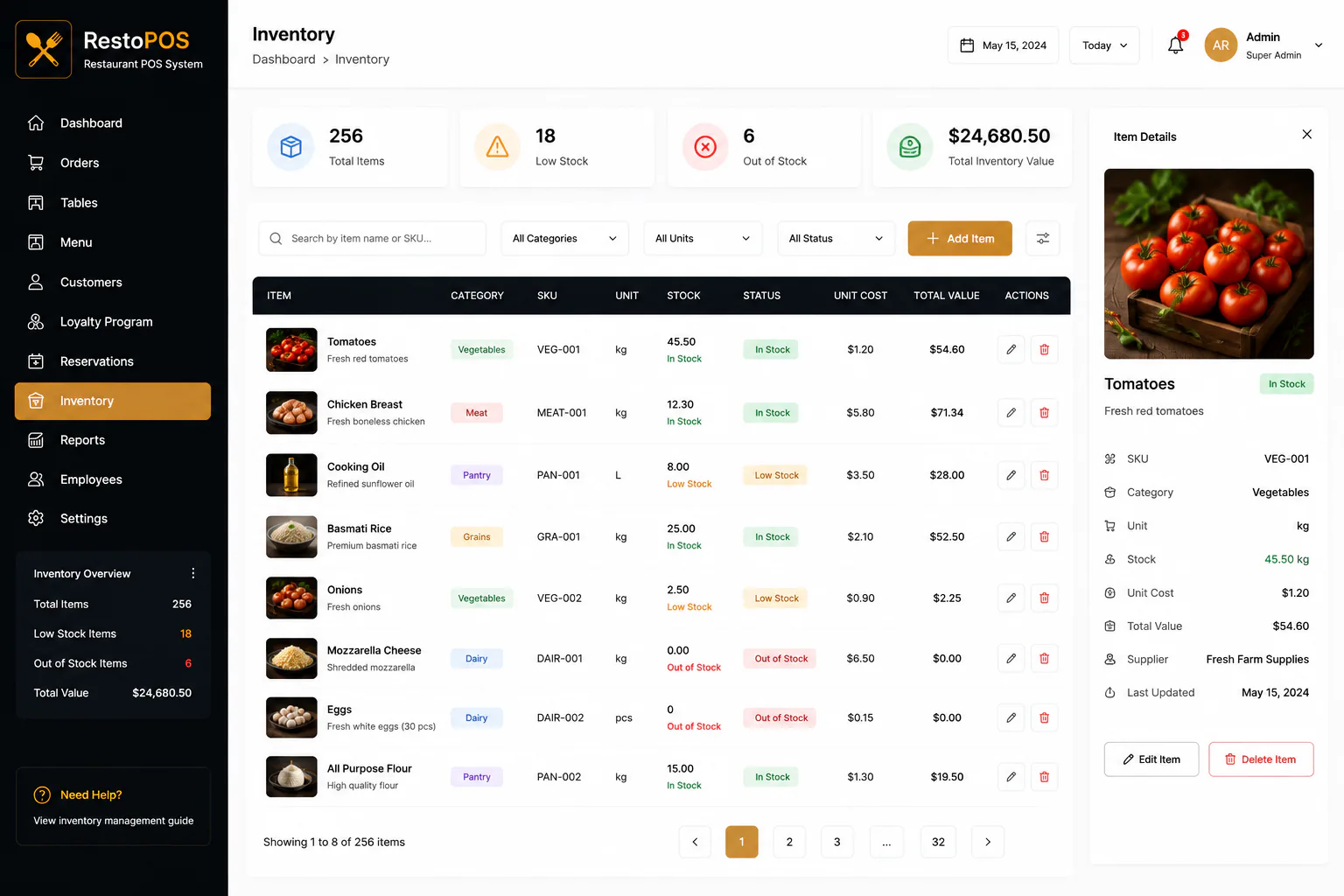
Monitor ingredients, stock levels, unit costs, suppliers, low stock alerts, and total inventory value.
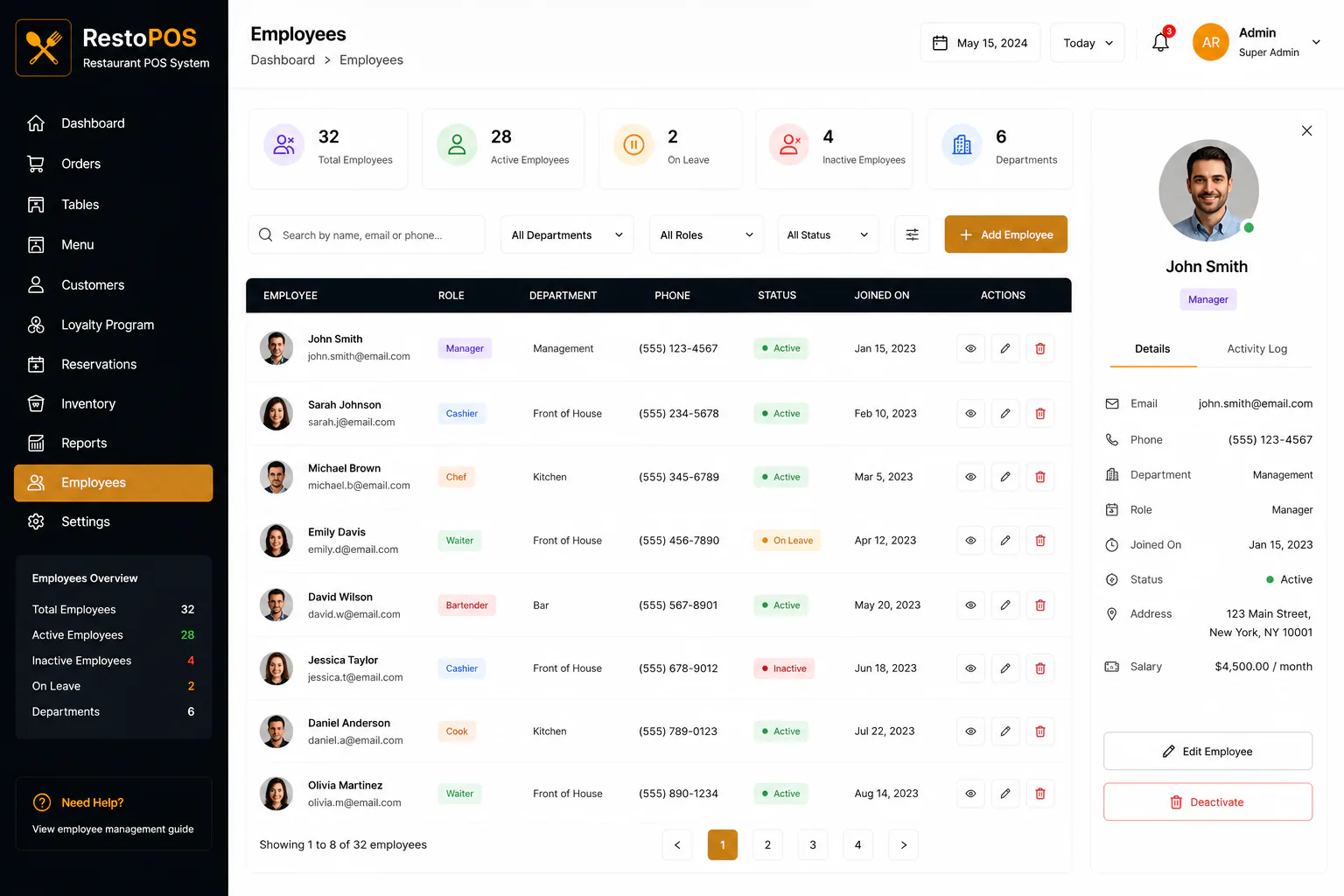
Manage employee records, roles, departments, employment status, contact details, and salary information.
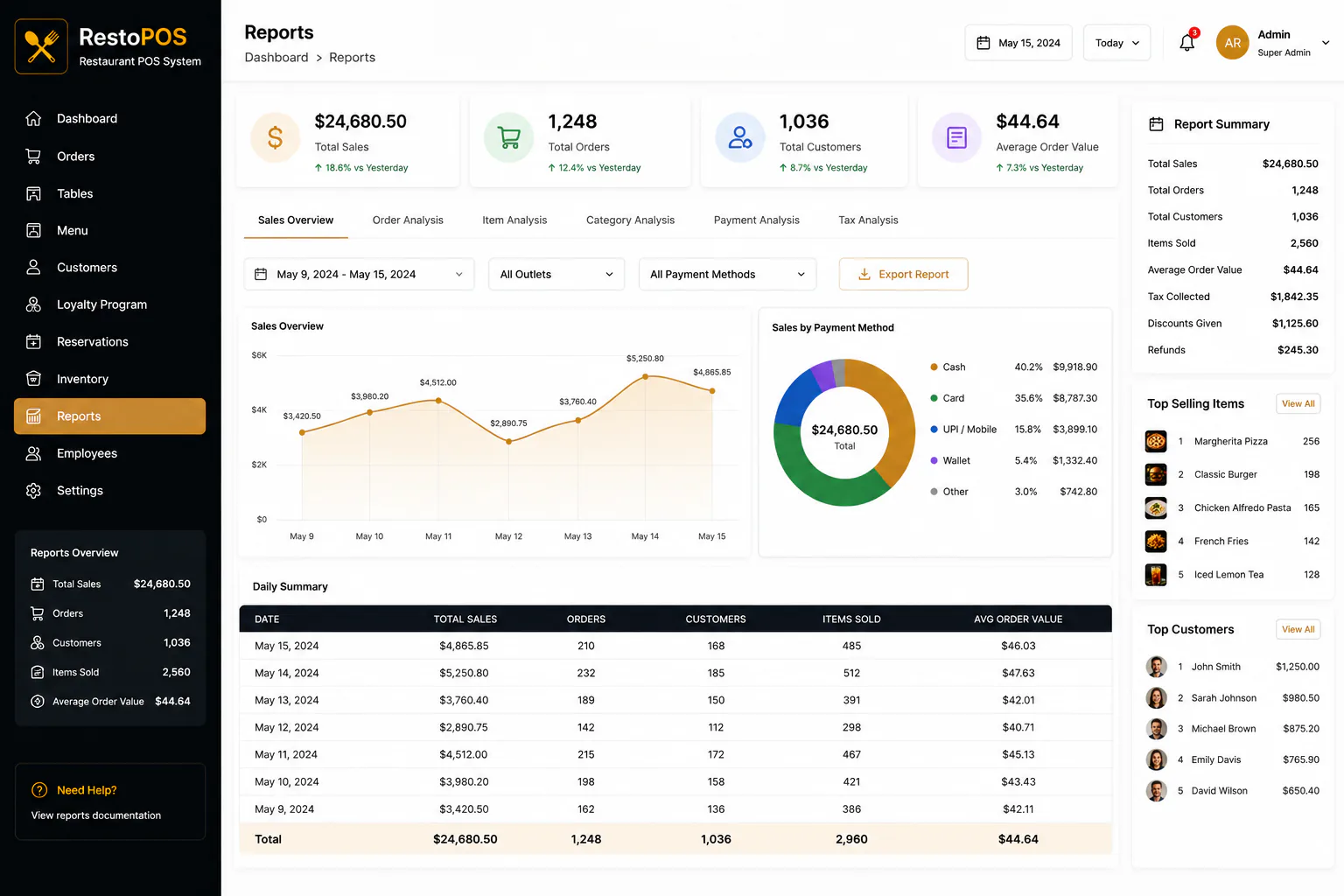
Analyze sales, orders, customers, products, payment methods, and daily performance with export ready reports.
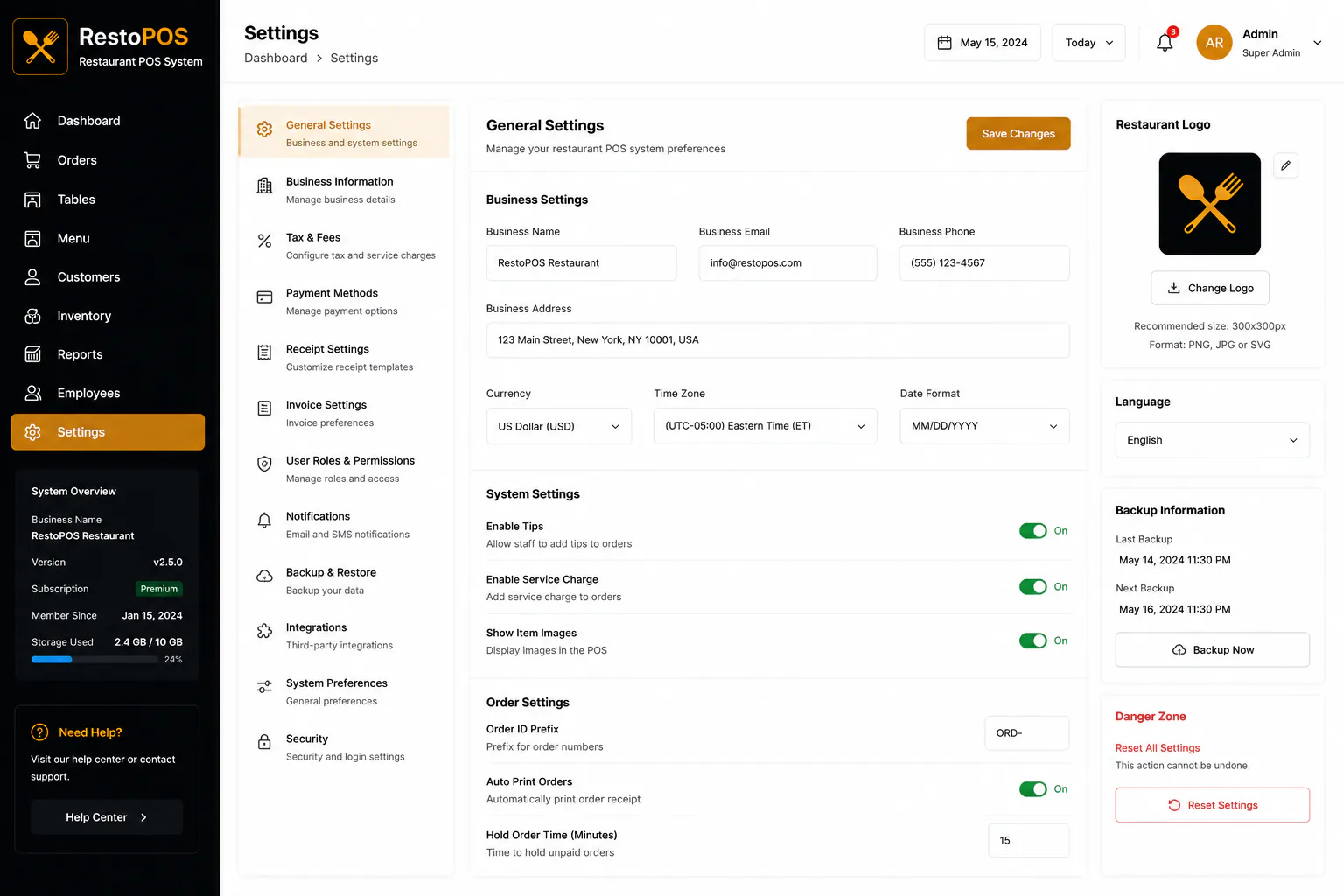
Configure business information, taxes, payments, receipts, roles, notifications, backups, integrations, and security.
Testimonial
The POS finally feels like how we run a busy floor. Stock stops surprising us mid service, and close out is a review, not a scavenger hunt.
Case study FAQs
Questions about this engagement: how we scoped, sequenced, and measured outcomes for Harbor Table Hospitality.
Software and workflows were the focus for Harbor Table. Existing station setups were adapted where possible to reduce disruption.
We trained on live stations in off peak windows and kept a parallel path until Harbor Table teams were confident.
Yes. Managers can update menus and pricing without waiting on a development cycle.
Use the project page for module lists and product FAQs. This case study explains the Harbor Table hospitality engagement and results.
Servers, kitchen leads, and shift managers timed order entry with us before we locked the interaction model and inventory links.
Twelve weeks with a service first order path early, then inventory, staff, and reporting modules once ticket velocity was proven.
We adapted existing station setups where possible. Deep hardware swaps were out of scope unless a station could not support the new ticket path.
We rolled out station by station so training never halted a full floor. Off peak windows carried the heaviest coaching.
Yes. Harbor Table’s playbook scales down to one outlet; multi outlet reporting is optional until you expand.
We timed complex modifier entry, tracked low stock warning timing versus rush hours, and reviewed close out report usage with managers.
Active menus, modifiers, and on hand stock baselines were loaded before cutover. Historical sheet archives stayed available for reference.
Post launch we refined modifiers, inventory thresholds, and shift report layouts based on real service feedback.
More work
Tell Next Software Development Company about your goals. We will reply within one business day.
Get a Free Quote